🚀 Elevate your office game with wide-format speed and smart wireless control!
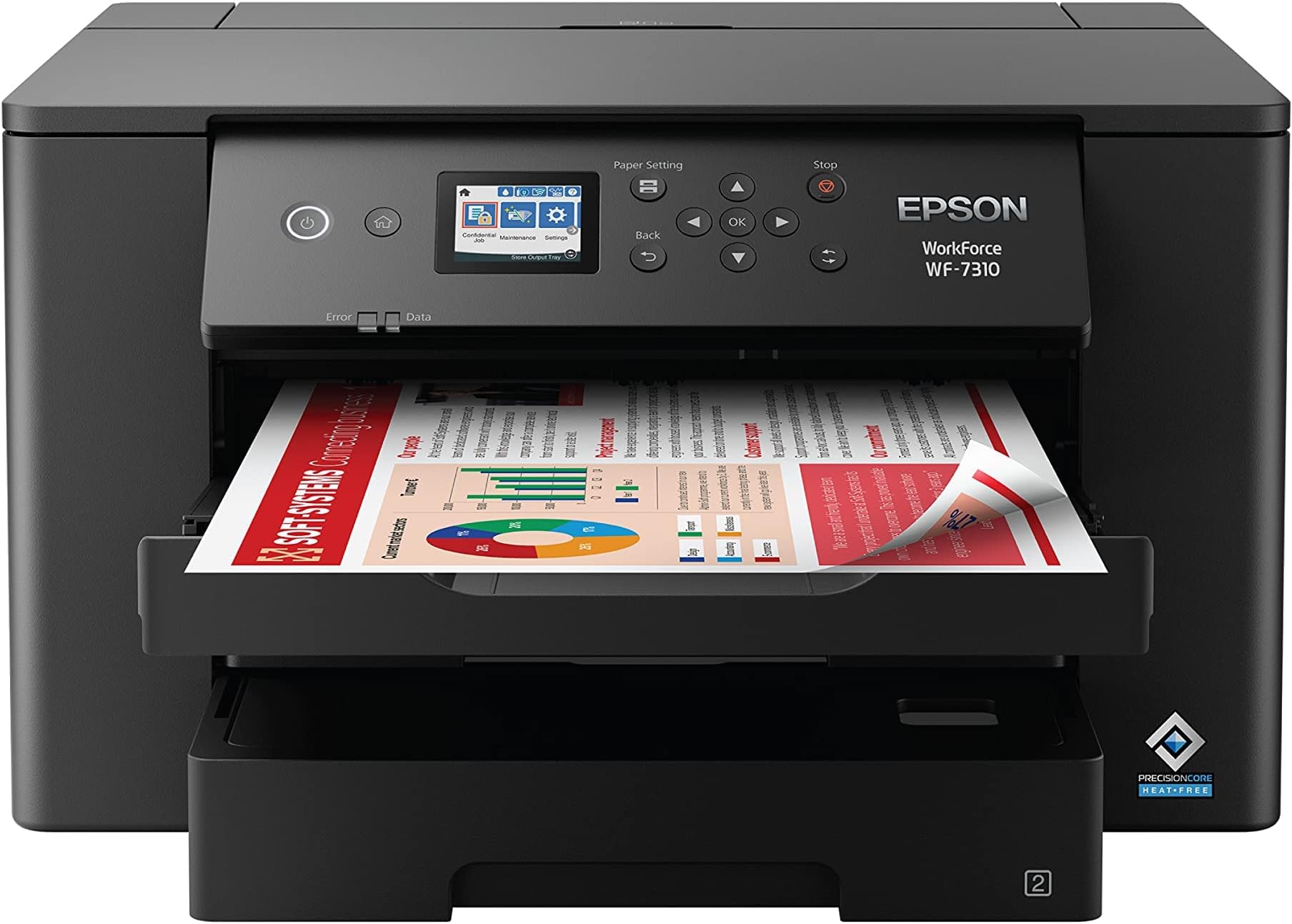
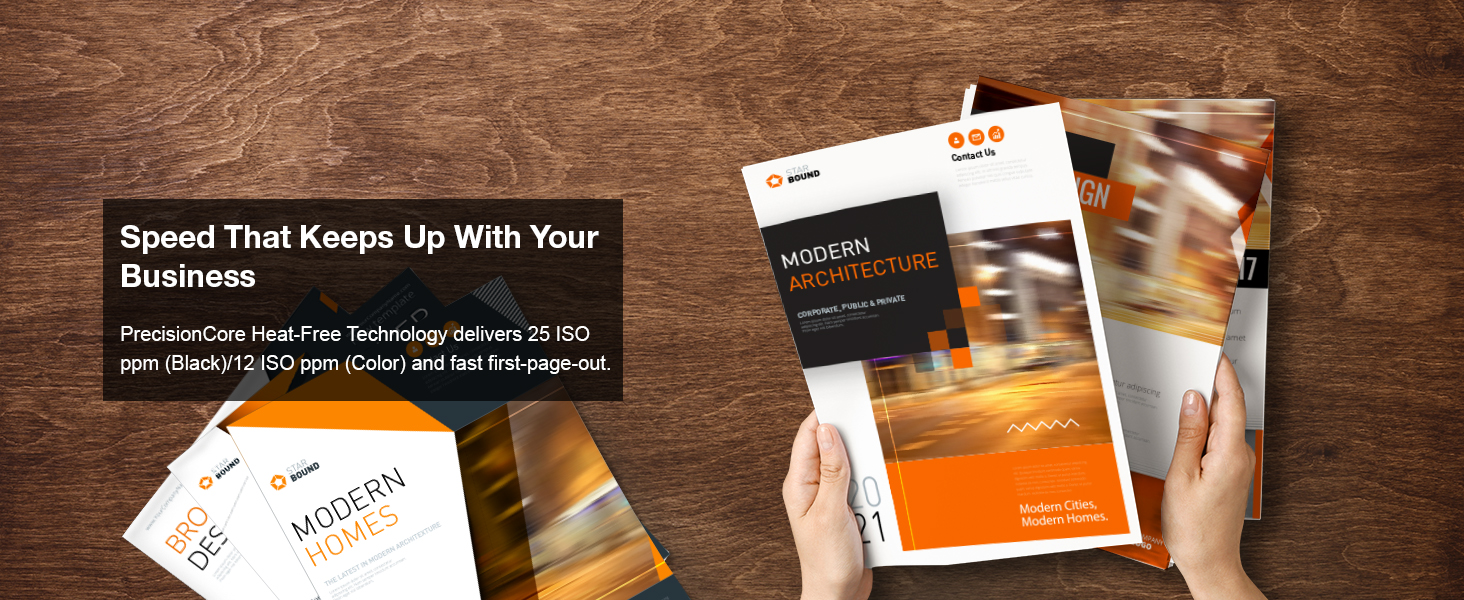
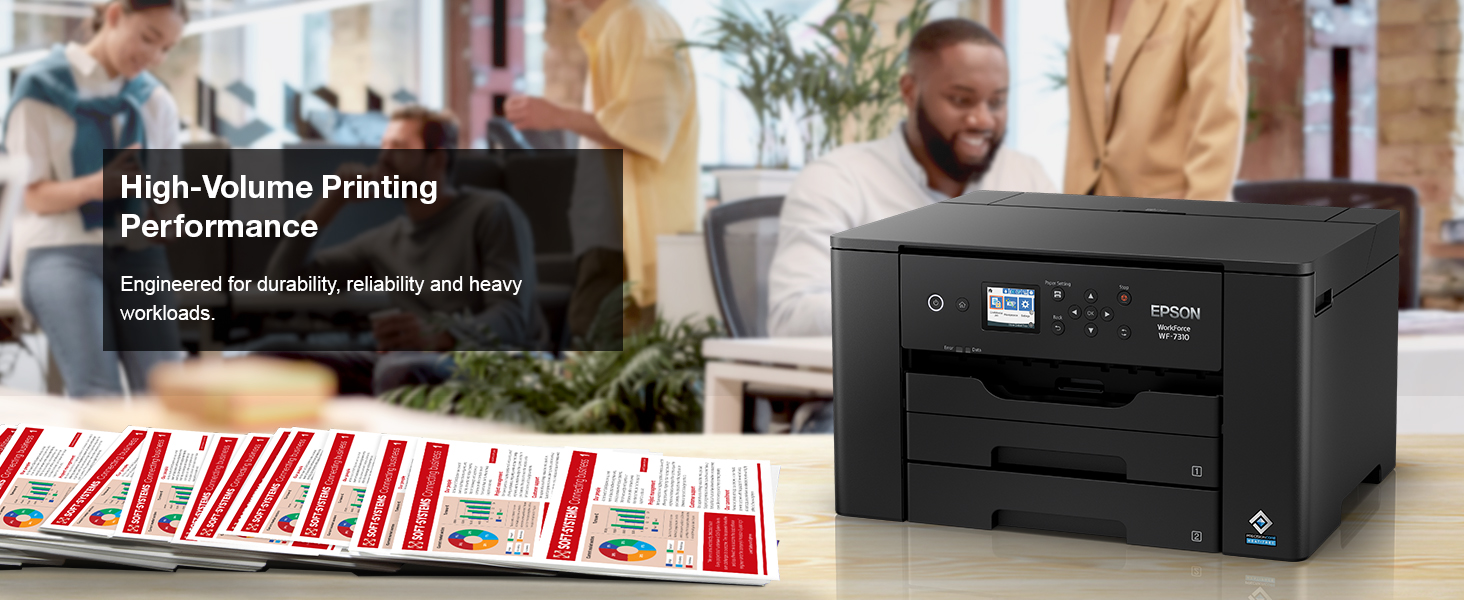
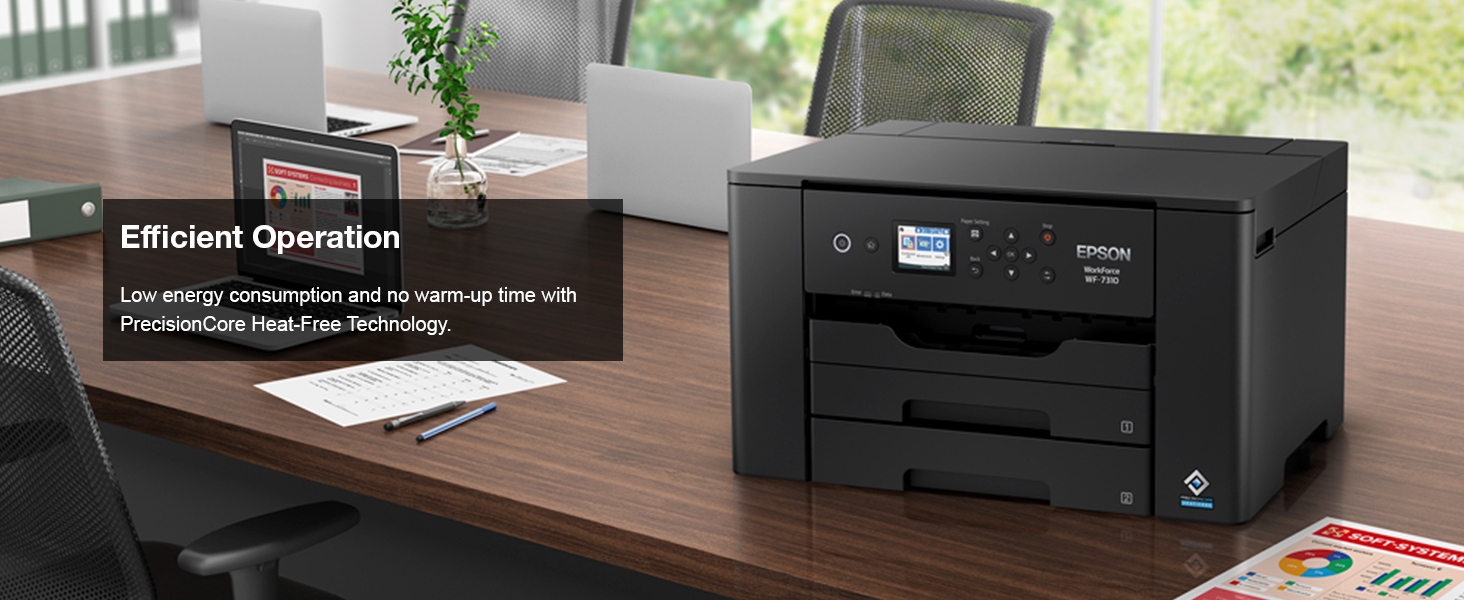
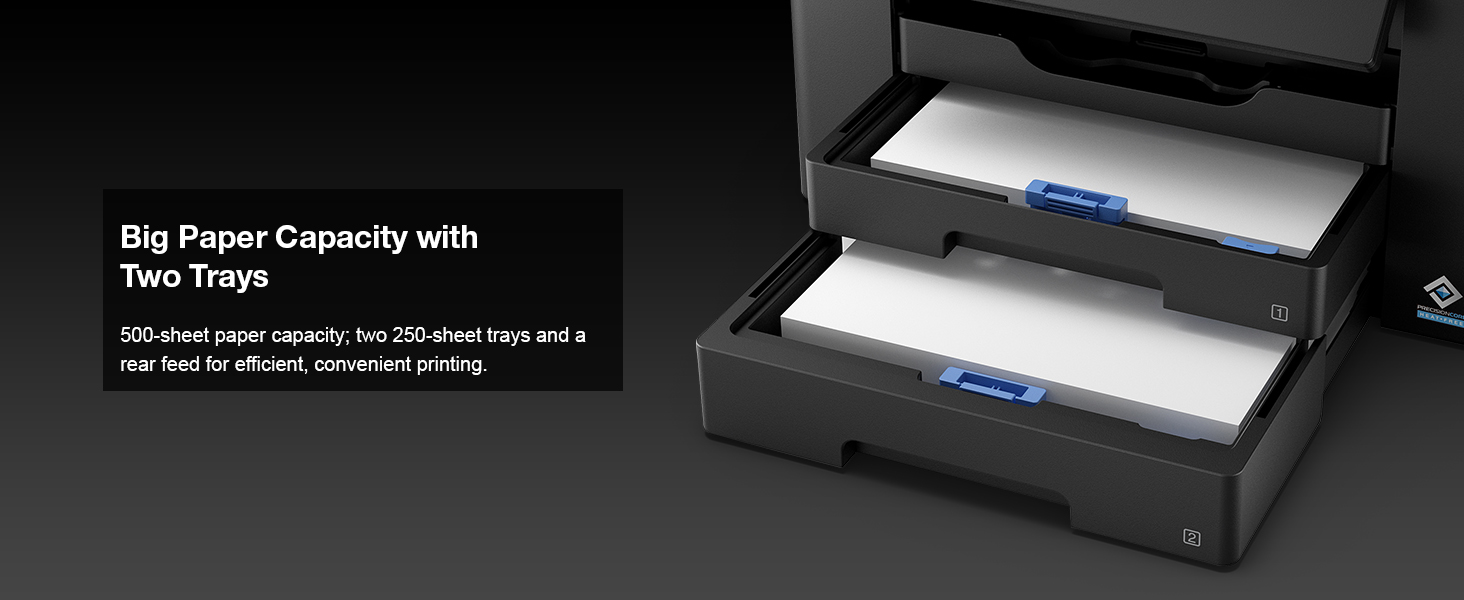
The Epson Workforce Pro WF-7310 is a high-performance wireless inkjet printer designed for professionals who demand fast, wide-format printing up to 13" x 19". Featuring PrecisionCore Heat-Free Technology, it delivers print-shop quality with DURABrite Ultra instant-dry pigment inks at speeds of 25 black and 12 color pages per minute. Its 500-sheet capacity, automatic duplexing, and intuitive 2.4" color display combined with Wi-Fi 5 and Smart Panel App control make it a reliable powerhouse for high-volume, efficient office workflows.


| ASIN | B096L98ZBM |
| Additional Printer functions | All In One |
| Best Sellers Rank | #2,962 in Office Products ( See Top 100 in Office Products ) #15 in Ink Tank Printers |
| Color Depth | 24 bpp |
| Control Method | App |
| Customer Reviews | 3.8 3.8 out of 5 stars (2,883) |
| Date First Available | August 24, 2021 |
| Dual-sided printing | Yes |
| Duplex | Automatic |
| Hardware Interface | Ethernet, USB |
| Included Components | WorkForce Pro WF-7310 printer, instruction manual, CD-ROM for product setup, power cord, 4x DURABrite Ultra Ink cartridges (1x Black ink cartridge and 3x color ink cartridges: 1x Cyan, 1x Magenta, 1x Yellow) |
| Ink Color | Color |
| Item Weight | 29.8 pounds |
| Item model number | WF-7310 |
| Manufacturer | Epson |
| Max Copy Speed (Black & White) | 40 ppm |
| Max Input Sheet Capacity | 500 |
| Max copy resolution black-white | 4800 dpi |
| Max copy resolution color | 4800x2400 dots_per_inch |
| Maximum Black and White Print Resolution | 4800x2400 dots_per_inch |
| Maximum Color Print Resolution | 4800x2400 Dots Per Inch |
| Maximum Media Size | 13 x 19 inch |
| Memory Storage Capacity | 64 MB |
| Model Series | WorkForce Pro WF-73 |
| Number of Trays | 3 |
| Print media | Envelopes, Glossy photo paper, High-resolution paper, Paper (plain) |
| Printer Ink Type | Ink Cartridge |
| Processor Count | 1 |
| Product Dimensions | 20.3"D x 34.9"W x 17.6"H |
| Scanner Type | Sheetfed |
| Series Number | 73 |
| Sheet Size | 3.5" x 5", 4" x 6", 5" x 7", 8" x 10", 8.5" x 11", 8.5" x 14", 11" x 17", 13" x 19", A4, A6, Half Letter, Executive, User-definable (3.5" – 47.2" in length) |
| Supported Media Sizes | 13 x 19 inches |
| Total USB Ports | 1 |
| UPC | 010343962897 |
| Warranty Type | Limited Warranty |
| Wattage | 26 watts |
E**7
Reliable, Fast, and Excellent Print Quality — A Great All-Around Printer
I’m extremely happy with this printer and would highly recommend it to anyone looking for a reliable, high-quality device. Setup was quick and straightforward, and it connected seamlessly to both my Wi-Fi and mobile devices. Print quality is excellent—text is crisp, colors are vibrant, and photos come out looking professional. It’s also impressively fast and much quieter than printers I’ve owned in the past. I appreciate the user-friendly interface and the efficient ink usage, which helps keep long-term costs down. Overall, this printer delivers great performance, convenience, and value, making it a fantastic addition to my home office.
Z**6
4 years on - Still - A very good printer, if you can ignore its demands to update firmware
Summary: It is an excellent printer (4.6 out of 5) if you don't mind its constant requirements to update the firmware, which I have not since the day I bought it. I have had this printer for over a year. It has printed close to 5,000 pages of different sizes, papers, colors and document types. As someone said in the other posts (a big thank you), firmware update is only to drive users to get Epson's proprietary ink cartridges. When the printer harasses me to update the firmware, I just keep on ignoring it. Epson does a good job to harass you both on the printer and computer - just ignore it. Pros: 1. Only printer for <$500, which could print Ledger paper (11x17), which was a must for me. This thing prints beautiful and very crisp AutoCAD drawings. The lineweights and scales are phenomenal. 2. Excellent printing quality using stock and generic print cartridges. The printer can be really customized to get the right tones and textures for your print. Works very well with heavy stock papers and photo papers. I am yet to try any stickers, but I do not foresee any issues with it. 3. Good printing speed. It is not blazing like the commercial printers you find in the offices, but it is very fast for what it does. 4. Excellent connectivity. I had no issues with using either Ethernet or wireless. The printer can print on my Windows devices and Mac machine. I do not print from my phone, so cannot comment on that. 5. Heavy duty. The printer has printed approx. 5,000 pages so far without any troubles. I have not seen it overheat nor do any weird activities when it is printing. Indifferent: 1. Scanning. While scanning quality is very good, the direct scan option is cumbersome. You cannot use the scan button on the printer to scan into the computer disk. You have to go to the computer and activate the scan software to perform scanning. This can be an issue, if you have a setup where your office is on one floor and the printer is on another, like I have in my home. Cons: 1. Heavy. This thing is decently heavy and bulky. Don't try to keep on moving it or have it in your mobile office. Also, make sure to have a good sturdy and stable table. The printer twerks, jerks, sashays, parries. 2. Constant harassment to update the firmware. It can sometime be very annoying, but that's a small price to pay, if you get to ignore it. Look at the bigger picture. Price: When I bought it, the price was just below 3 bills, I understand it has gone up by half a bill (however, I am seeing the price going >$400 on some occasions). The new price of 3 and a half is not bad given the shape of the economy and supply chain issues. Also, the OEM cartridges (812) are cheaper at Staples than trying to Subscribe and Save here. Bottom-line: A very good printer, if you ignore and disprove its petulance to update itself. Update 3/23/2023 - I have had it now for over 2 years. The printer continues to print flawlessly and as of now has little under 10,000 pages printed of different sizes and paper weights. It still begs to update its firmware, which I have not done since its purchase. The only wishlist item I have for this printer is if it were to come with the Epson ink-tank. Update 3/28/2024 - Three years into it I have, still not updated it. The printer continues the work. I have now printed about 12,000 pages. In December, after I replaced all my cartridges, it started missing colors' tones, textures, and locations. Did full printer head alignment and cleaning twice (instructions are clear on the printer screen under Settings-> Maintenance menu). Printed test pages, and now it is working flawlessly. Update 3/20/2025 - Marks 4 years of running this printer. Definitely the least amount of pages printed annually - about 1,500. No firmware update performed and it still cries to update. Still running strong on both inks - generic and branded. There is a seller on eBay that offers XL cartridges for the colored ones too. Definitely worth giving a shot. If you are in a market for a prosumer printer consider this one in your list, if you can get it below $300.
V**O
EPSON PRINTER WILL NOT PRINT-BEWARE PLEASE READ THIS BEFORE YOU PURCHASE.
The first thing I have to comment on is the number of firmware updates Epson insists on sending to their printers. But its not to make the printer operate better, it to keep you from using an after market remanufactured print cartridge. They are absolutely ridiculous to the point of anal trying to stop people from using a remanufactured ink cartridge. They are constantly updating the chips on their ink cartridges so its so, very difficult to use anything but a genuine Epson new print cartridge. Now there was a class action lawsuit against Epson because of this and Epson lost the lawsuit and was ordered by the court to stop making it impossible to use remanufactured (refilled) ink cartridges, but Epson is ignoring the court order. NO OTHER COMPANY REQUIRES YOU USE THEIR INK CARTRIDGES LIKE EPSON. I have always used genuine factory cartridges in ALL MY PRINTERS, the Epson I explain below never had a remanufacture ink cartridge put in it ever. I would never ever recommend a friend or family member to ever purchase an Epson printer. If you print with varied print specifications like paper size or specify a tray to print from YOU DO NOT WANT THIS PRINTER OR ANY EPSON PRINTER. First of all the printer is slow as molasses. It does not print anywhere the speed they claim. The Epson software and print drivers are very badly flawed. I have been trying for a little over a year to figure out the best ways to get a print job done, and not get the warning "your paper does not match your paper tray selection" . Time and time again I have specified 11x17 paper, which is in tray 2, (only fits in tray 2) and I get this darn warning time and time again. "Your paper does not match your paper tray selection". I have gone to the extent of removing paper completely from tray 1 and purposely specify tray 2 to in my printer properties, and I get the darn dialog box warning anyway. I called Epson customer support and it is like talking to a wall every single time I call them. THE CUSTOMER SUPPORT IS USELESS. So I unplug the printer and let it sit for 10 minutes. I then remove all print jobs from the que. With the same exact properties as the previous attempt sometimes it would print. Then, the other issue with this printer, is I continue to get paper feed errors. I remove both trays and I shine a flashlight in the empty tray spaces and there is no paper in either tray space or in the plastic feed guides. I then remove the back cover which totally opens up all the paper paths. Still no jammed paper is found. I meticulously put the back cover on and put the trays back in. Then resend the print command, but still, it gives paper feed error. I take it all apart again, I remove the printer from the stand and move it to the kitchen counter which is much higher which makes it easier to look inside at every nook and cranny. Still no jammed or misfed paper. Put all back together again, do everything exactly like I did it before and sometimes it will print, and sometimes I get a feed error. I have had to take the darn thing apart as many as 3 times to get it to print without a paper jam error. I DO NOTHING DIFFERENT THAN I HAD DONE EVERY TIME, but finally it prints. I called customer support at least 4 times. The response I usually get, “that is impossible you are missing a piece of paper that was jammed. “ This last time I took 14 pictures of all the paper pathways from front and back of the printer. I called and explained what was going on, again, and told them I wanted to send the pictures, but they would not let me. I hung up, I removed the printer from the stand and threw it as far as I could out the back door of the house, which I should have done after the second time occurred on any of the issues. That would have kept me from wasting my time and getting totally used up with their customer support at Epson. But this last time I had a deadline which was dropped on my shoulders by State Farm Homeowners insurance with no prior warning, and I HAD to get a printed copy down to my agent. I ended up driving to Office Depot and printing it there. Now I will say one thing, NO COMPANY HAS A PRICE LIKE EPSON HAS, on a printer like this that will print both 11x17 or as big as 13x19 and 18x22 inch paper. The next best prices is over $2000.00. To add insult to injury, I have the Amazon extended warranty option on everything I buy from Amazon, but Asurion ( that’s who does the Amazon extend warranty) would not cover it because they said it was a factory defect. I have asked for proof and they said they would send me documentation.
R**H
Nice quality printer, good price.
Bought this for my home office. It’s big, so plan accordingly. Got around a re-emerge of paper through before I had to order more ink. It was easy to set up, and use by several devices throughout the home. Print quality is good. Noise levels are not terrible. Epson sells larger capacity ink cartridges. Depending on how much you print, these are a better option for black ink at least. Epson printers are known for their longevity, so I expect good results. For the features,it was a good deal and value for the money. I would buy again.
C**S
Es una máquina muy efectiva y de gran desempeño
E**E
Thanks
M**.
Buenas calidad
P**0
Fast performance and good quality images. Even tiny print fonts are printed very clearly. The wi-fi works well, mine is down the hall in another room and it still connects without issue. Sending a print job results in fast performance, no long waits even if the printer has been sitting for a week. I don't turn it off, just allow it to stay in standby, because every time it is turned off and then on it goes through a cleaning cycle, using more ink. Even the largest 19" prints come out in just a few minutes, I'm pleased with it overall. Another plus is how the output tray automatically extends when a print job is called on. For only three ink colours plus black, the photograph outputs are quite realistic.
A**A
Indico a compra sem pensar. Melhor custo benefício não tem.
Trustpilot
3 days ago
2 days ago