We remain fully operational. Our teams are working around the clock to ensure your deliveries continue safely.

DOWNLOAD THE APP


Customer Services
Copyright © 2025 Desertcart Holdings Limited
DOWNLOAD THE APP
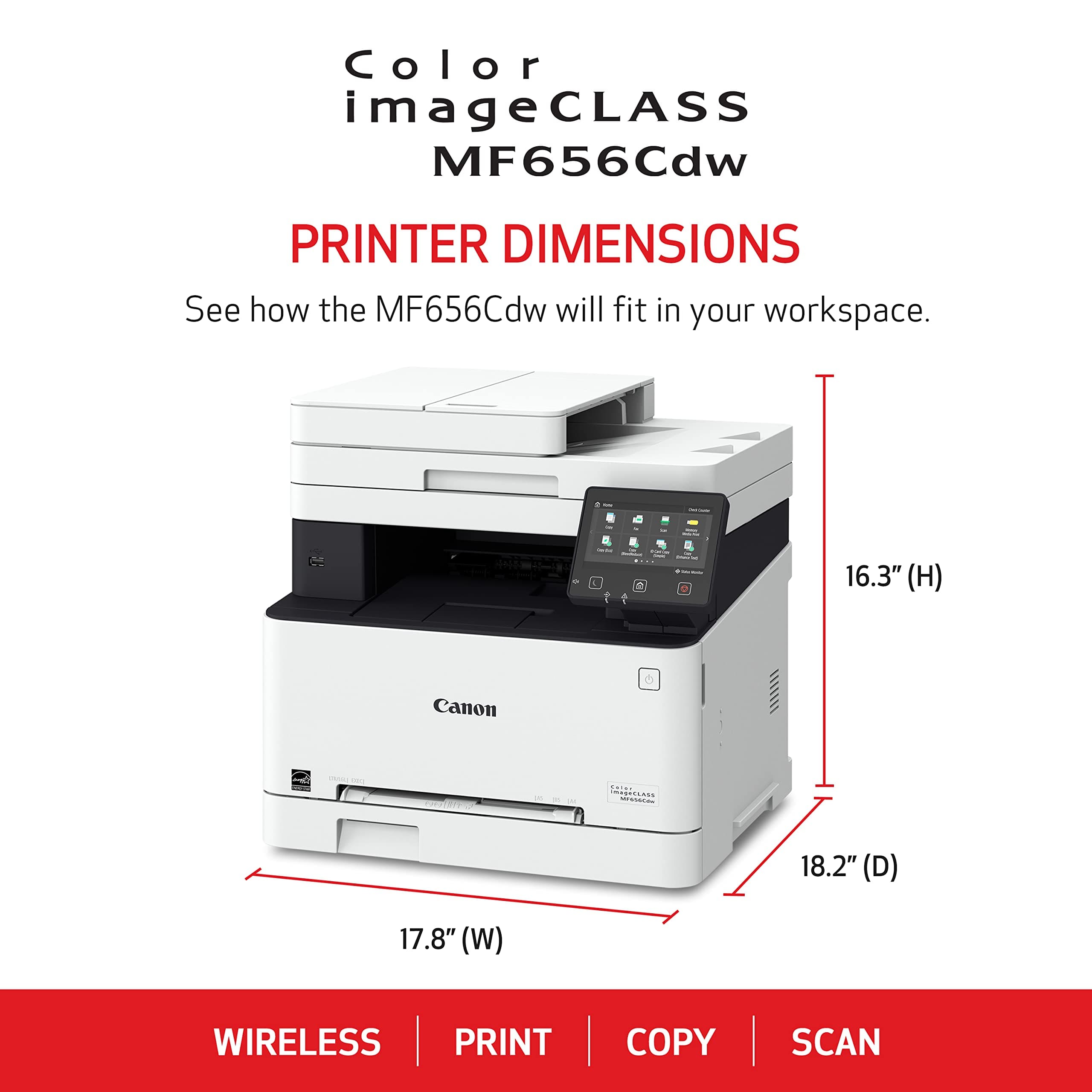



🖨️ Elevate your workspace with speed, style, and wireless freedom!
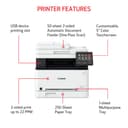
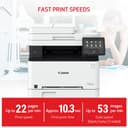
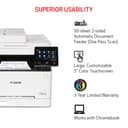
The Canon Color ImageClass MF644Cdw is a compact all-in-one wireless laser printer designed for busy professionals. It delivers fast 22 ppm print speeds, crisp 600x600 dpi color prints, and automatic duplex printing. With stable 802.11bgn WiFi connectivity and a user-friendly 5-inch touchscreen, it streamlines your printing, scanning, and copying needs in a sleek footprint perfect for modern offices.

| ASIN | B07QK2KDYC |
| Are Batteries Included | No |
| Compatible devices | Laptops |
| Customer Reviews | 4.1 4.1 out of 5 stars (3,912) |
| Date First Available | 3 August 2019 |
| Dual-sided printing | Yes |
| Item Weight | 22 Kilograms |
| Item model number | MF644Cdw |
| Max copy speed (black & white) | 22 ppm |
| Max input sheet capacity | 50 |
| Maximum black and white print resolution | At least 600 dpi |
| Maximum color print resolution | At least 600x600 dpi |
| Power consumption | 850 Watts |
| Print media | Paper (plain) |
| Processor Count | 1 |
| Product Dimensions | 42.16 x 43.18 x 42.16 cm; 21.95 kg |
| Scanner type | Sheetfed |
| Standing screen display size | 5 Inches |
| Wattage | 850 watts |
| Wireless Type | 802.11bgn |
E**O
Excelente. Solo que para imprimir tamaño oficio hay que realizarlo hoja por hoja, pues no tiene bandeja para ese tamaño.
M**A
For the last month I've been researching and debating which AIO color laser printer to get after being completely fed up with inkjets and all of the cartridge issues that come along with them, especially Epson. There are a lot of mixed reviews out there for this MF644Cdw, but I took a chance on it based on even worse reviews for other comparable brands, like HP and Brother. I'm glad I did. I feel compelled to write a review based on my surprisingly good experience so far. First is the initial setup. A lot of reviewers reported a horrible setup experience. This was not the case for me. Unbox it, untape it, turn it on, connect to your wifi using the LCD panel, and load the drivers on your PC (download the latest from Canon's website). That's it. I have only tested on Windows at home so can't speak for MAC drivers. I also haven't experienced any issues with the touch panel functionality. Some people say they have to push unreasonably hard on the LCD screen to get actions to register. This is not my experience and mine accepts inputs just fine like any other office printer I've ever used. Prints came out perfect right out of the box starting with the first test page, although I did go through the full gradation calibration anyway just to be thorough. Seeing how I don't plan on using this for full photo prints I left most of the print settings at their defaults, but you can bump up the quality higher than the default dpi if you desire. Copies were accurate and scans were more than sufficient. I was most concerned with the scan quality based on some online reviews, but I found that the scans on the glass plate turn out to be more than acceptable even at the standard 300dpi. You can easily modify this to go up to 600dpi which produced great results. I'll note that I have not yet attempted to scan using the ADF function. There are additional scan quality settings in the settings menu as well as copy settings, so experiment with them to see which suits your needs. For copy, I set mine to the "Text/Photo/Map (Quality)" setting which proved to be sufficient, but there is a "Printed Image" option which provides even more detail. There are a ton of settings on this thing, and I'm still testing all of them out one function at a time. The MF Scan utility allows for customizing scan quality settings, file types, destinations, etc., but it does lack any truly helpful post-processing or cropping. Some users have reported that the NAPS2 utility addresses these post-processing shortcomings if that is an issue for you. I have not yet tested it but plan on doing so soon. The only hiccup I've encountered so far was when I tried to use the MF Scan Utility to pull a scan from the printer to a PC. The utility wouldn't connect to the printer no matter what, even though the printer was online and I could print to it just fine. No number of uninstalls/reinstalls of the scan driver or utility made a difference. Rebooting the printer did not help either. Surprisingly, I found that a simple reboot of the affected PC fixed it (an increasingly rare occurrence these days) and now everything is working. Finally, scan to email works great and is not too bad to set up at all using the Remote UI. You definitely want to set up the Remote UI pin during initial setup in order to fine tune this thing. It will help immensely when customizing and enabling features. Also, download and read the manual! I was able to configure everything over the course of about two hours including getting the Android Canon print app to print from my phones. I've been using this thing for only one day so far but have really put it through it's paces. Sleep mode works well with adjustable timers. Wake from sleep works perfectly for me (using DHCP reservation for the printer wifi address). Wifi signal is good and stable at about 40 ft away from router through multiple walls and obstructions. Double sided print works great. The only features I haven't tested yet are ADF scans, fax, and print from USB drive. The bottom line is that I was a bit skeptical when pulling the trigger on this one after reading hundreds of reviews from multiple sites. I ended up narrowing it down to either this or the Brother 3770. The brother has much better scanner specs and reviews, whereas a lot of reviews of the Canon mention functionality issues or disappointing scanner quality. On the other hand, the Canon seemed to win when it came to color accuracy and overall print quality. Reviewers also had some pretty bad things to say about the Brother toners and drum. It turns out my primary concern with the Canon MF644 scanner was unfounded and it performs better than expected. If you are looking to archive old photos for enlargement and print then you are better off getting a dedicated standalone scanner anyway. But for everyday documents or photos that you don't plan on enlarging this performs very well. I'll try to update this review as time goes by if I end up running into any issues or if there are any surprises when it comes to toner usage and replacement. Until then, I have to give this 5 stars based so far and will be recommending to friends and family.
J**F
très simple à installer et fonctionne très bien. Un peu bruyant sans plus.
G**G
I forgive this printer for being bulky, tricky to set up, and noisy. Color laser printers are overall superior to inkjet printers; they are both faster and more reliable. It's a fair comparison given that this model is inexpensive, almost in the price range of inkjet printers. The ink supply lasts a lot longer, and even the color quality is as good as most inkjet printers. This particular model is also dependable with many sizes and types of paper, not just regular paper but also index cards, adhesive label sheets, etc.
T**R
I researched for a while and wasn't sure, about brand or quality. After recommend reviews from other sources, this was highly recommended. The software is simple, and their is no bloatware, spyware, adware, or software that takes control over every thing like some other popular brand printers. The simplicity of the software alone without it infecting your computer makes me love it more. It loaded on Win 10 Pro very easily, and the best part is, when I need to print, it's there for me. The desk top software is so very simplified with one button, I can't believe it's simple without any confusion at all. I don't need to print often, but with ink jets, their scam is the cartridges expire without you even using them once. That only has me never to own their products again. Not having to buy ink jet cartridges, this printer paid for itself, with only using it twice in 6 months. No bleeding, smearing, mess, or wet paper anymore, and no calibrating to unclog inkjets. And NO expired cartridges that goes out on in in a month. People complain it's loud, but as rarely as I use it, I am happy it prints, then it goes off again, without you having to touch anything. It's not that loud or annoying, and it doesn't bother me. It just lets me know it's cycling on to print. Scanner works easily, and the copier is such a great feature to have. I can't believe a printer like this is as inexpensive as it is. Canon did a good job on this one without the bloatware or other setup hassles. If you print a lot and you complain about the noise, get higher end volume one, or tell your boss to not go cheap. If you plan on printing photographs, don't blame the limitations on a printer like this, get one for photographs. I would say this is for letters, documents, scanning, copying documents, and not for high end graphics or trying to send grandma pictures of the family printed out. I had a document I printed with red, blue, black text, with yellow highlighted areas, and it came out wonderfully. The copy capabilities, I need to sen a printed copy of my drivers license and another i.d. I did one in B/W and in color. I couldn't believe how clear it came out. No more going to the UPS store to copy! It does require a larger foot print than you standard ink jet. The box when it arrive is huge! Once out of the box, it takes up 17x17x17 (rounded up slightly), so plan on an area just for that first. No more ink jets for me ever again. The price has doubled since I bought mine, and it's a first time I have ever see computer technology increase rather than decrease. For what I paid for it in mid 2020, I doubt you could do better or ask for anything more. It's been coming up on 2 years now since I bought it, and I still have the original toner that came with it. I rarely print, but my priority is the toner doesn't expire on me. EDIT UPDATE: 2 1/2 years after purchase. It still works, still on factory cartridges that came with printer and no issues or problems. I don't use the wireless feature, mine is plugged in directly to my computer, nor do I print as often, but that was the whole point, so I don't have to buy ink cartridges every time I need to print one page, because ink jet expires. This printer paid for itself long ago. Best printer I have ever owned in 35+ years of computing.
Trustpilot
1 week ago
5 days ago