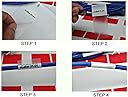
๐ฏ Label Like a Pro, Organize Like a Boss!
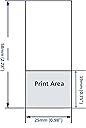
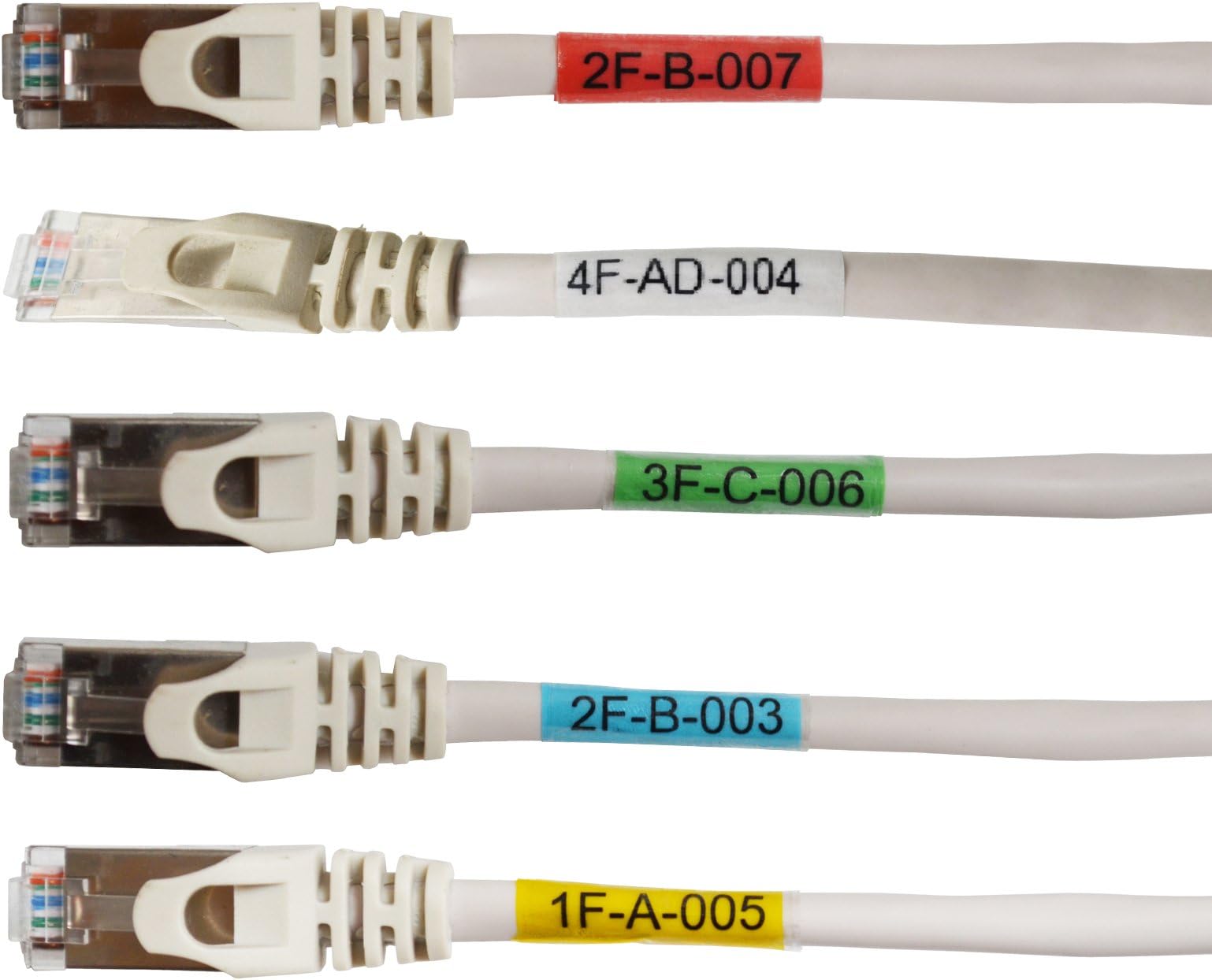
Mr-Labelยฎ Vinyl Self-Laminating Printable Cable Labels come in 5 vivid colors on 25 A4 sheets (675 labels total). Designed for laser printers with free templates, these weatherproof, tear-resistant, and oil-proof labels wrap around cables for durable, fade-resistant identificationโperfect for professional-grade cable management indoors and outdoors.
| ASIN | B01GE2XPQI |
| Brand | MR-LABEL |
| Brand Name | MR-LABEL |
| Color | 5 Assorted Colors |
| Customer Reviews | 3.1 out of 5 stars 28 Reviews |
| Item Shape | Rectangular |
| Manufacturer | Mr-Label |
| Manufacturer Part Number | LAP50001 |
| Material | Paper, Vinyl |
| Material Type | Paper, Vinyl |
| Model Number | LAP50001 |
| Number of Labels | 25 |
| Shape | Rectangular |
| Size | 25 Sheets (675 Labels) |
R**.
Four Stars
Work fine. Originally gave 4 stars. However, after reading some of the bad reviews upped mine as I often find poor performance to be caused by something other than the product when it's been available for a while. In this case I used a Brother model HL-L2340DW printer. Following the directions for the labels, and the printer for manually feeding stock, these labels worked just fine and wonderful. There were no jams, melted adhesive, gummed up works, boogers in the drive mechanism, or anything else. The label template worked fine, even with LibreOffice. The only problem I had with the first sheet was getting it turned around 180 degrees.
I**C
Should Have Listened to the Reviews - Melted in Printer (Solution in review)
Bought these to help organize my various cables in my home theater system. I have a brand new Brother printer and followed all the directions to a T. 8 labels came off when I tried to print on them. These will work fine for hand labeling, but are not suitable for printing. The only reason I'm not requesting a refund is because I still need them. EDIT: I figured out why the labels peeled off. Some of the sheets have plastic around the labels so that everything is at the same level. These sheets will print fine in your printer. Some sheets lack this "filler" plastic, and thus the labels are raised above the paper they're on. These labels are likely to peel off in the printer. I'm not changing my review, since this represents a massive quality control issue. You shouldn't have this problem on a set of labels specifically designed for printing. If you get these, check to see that your labels have the filler material between the labels.
I**Y
Works great, no issue with melting (I use manual feed tray)
These work really great and are very cost effective. We are a production company and have 1000s of cables. I use a laser printer (have used a few different ones, Brother, HP, etc.) and have not had a problem with melting or smearing. Again, you need to use the manual feed and not the regular paper tray. This may be a little tedious but is pretty par for the course when printing on any kind of sticker. I ended up making my own template pretty easily in Word.
D**S
Not Fool-Proof, but can be done.
As many have said, the template is awkward. I could not get it to print from Word to my HP LaserJet P1100 properly. It wasn't liking the A4 size. I was able to get it working by printing it to a PDF via Word, then printing it to the label sheet using Adobe Acrobat. Once I figured that out, it was no problem. Added tip: Bottom-Justify your labels. On my first sheet, I was wrapping thinner cables, and the tops of the text were cut off by the colored portion. If I had bottom-justified the text, it would have shown properly. Live and learn.
J**N
Using the template was easy, and the tags wrap wonderfully around most cords
Using the template was easy, and the tags wrap wonderfully around most cords. They really make AV and computer cord tangles much easier to manage, and have a very professional, finished look. Two notes: first, note that you can only print to each sheet once (effectively), so you'll want to plan ahead. I had wanted to do a rainbow of colors, but I only filled up three sheets, so, rather than waste any, I had a little less diversity than I would have liked. Secondly, I'd like to address some of the other reviews that talk about the vinyl melting to their printer. They do get very soft and a little sticky, but if you follow a few rules, you'll be fine. First, don't print multiple pages at one time; let the machine cool down between prints. Second, mark the top of one side of regular paper and print to it to learn the orientation you need to feed the labels in at. Third, do as the instructions say and look for a way to feed the paper in manually. Every laserjet printer I've worked with has had one, and that minimizes the time the vinyl is in the machine, and so prevents it from getting too hot.
R**Y
Ruined my laser printer.
I bought this because it said it would work in a laser printer. Even the envelope it came in said it was for laser printers. Well, now I am without my laser printer. The labels melted and gummed up the rollers. One of the softer rollers was chewed up after the vinyl between the labels wrapped around it to the point that the it rubber foam was torn off of it and clogged up the rest of the printer. Since I can't get individual parts for the printer, I guess I am out of a laser printer that was only 6 months old. I doubt I can get it repaired for under $100, and even if I could, it would probably not be the same printer.
D**S
Great labels, but the template did not work...
I so wanted to like this label system as I need to organize the low-voltage in my house at the junction box. After spending about an hour trying to re-build the so-called template that is provided, I have given up & will be hand-writing on the labels. The Sharpie is now my friend! LOL. If you are looking for a simple, easy-to-use template to print labels, keep looking as this is not the solution you are looking for.
D**1
Four Stars
Work good we had to install 40 Cate6 cables and they were good for marking them
Trustpilot
3 days ago
1 month ago