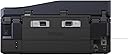
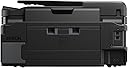
๐ Elevate Your Office Game with Epson's All-in-One Wonder!
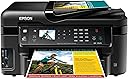
The Epson WorkForce WF-3520 is a versatile wireless all-in-one color inkjet printer that combines printing, copying, scanning, and faxing capabilities. With a 250-sheet capacity and the ability to print from mobile devices, it offers fast, efficient, and cost-effective solutions for any professional workspace.
| ASIN | B0091UBCB6 |
| Additional Printer Functions | All In One |
| B&W Pages per Minute | 15 pages_per_minute |
| Best Sellers Rank | #1,594,602 in Office Products ( See Top 100 in Office Products ) #657 in Ink Tank Printers |
| Brand | Epson |
| Built-In Media | Printer |
| Color | black |
| Color Pages per Minute | 9.3 pages_per_minute |
| Compatible Devices | Laptops, PC, Smartphones |
| Connectivity Technology | Wireless;Mobile; Memory Card; USB |
| Control Method | Voice |
| Controller Type | Amazon Alexa, Vera |
| Customer Reviews | 4.0 out of 5 stars 1,658 Reviews |
| Display Type | LCD |
| Duplex | Yes |
| Global Trade Identification Number | 00010343889477 |
| Hardware Interface | Ethernet |
| Ink Color | black, cyan, magenta, yellow |
| Item Weight | 19.8 pounds |
| Manufacturer | Epson |
| Maximum Copy Resolution Black and White | 5760 x 1440 dpi |
| Maximum Copy Resolution Color | 5760 x 1440 dpi |
| Maximum Copy Speed Black and White | 15 pages_per_minute |
| Maximum Media Size | 8.5 x 11 inch |
| Maximum Print Resolution Black and White | 5760 x 1440 dpi |
| Maximum Sheet Capacity | 250 |
| Maximum print Resolution Color | 5760 x 1440 |
| Model Name | WF-3520 |
| Model Number | C11CC33201 |
| Model Series | WorkForce |
| Number of Trays | 1 |
| Other Special Features of the Product | Network-Ready |
| Output sheet capacity | 250 |
| Paper Size | 4 inch x 6 inches, 8.5 inch x 11 inches |
| Power Consumption | 17 watts |
| Print media | Card stock, Envelopes, Glossy photo paper, Labels |
| Printer Connectivity Type | Wireless;Mobile; Memory Card; USB |
| Printer Output Type | Color |
| Printer Type | Inkjet |
| Printing Technology | Inkjet |
| Processor Count | 1 |
| Resolution | 5760 x 1440 |
| Scanner Type | Sheetfed |
| Special Feature | Network-Ready |
| Specific Uses For Product | Office |
| Total USB 2.0 Ports | 1 |
| Total Usb Ports | 1 |
| UPC | 010343889477 |
| Unit Count | 1 Count |
| Warranty Description | 1 year limited |
| Warranty Type | One-Year Quality Satisfaction Guarantee |
| Wattage | 17 watts |
E**E
Very Impressed :-)
The Epson WF-3520 is so nice! I work as a digital printer. This printer has a lot of the features that we look for in the much larger printers that we use at work such as 2 sided print, 2 sided scan and scan to a searchable pdf file. For a home or small business use it is a fantastic printer hands down. The scanner is awesome too. I never use the Fax because I don't have a home phone with a dile tone. I love the scanner. What I like to do is take all of my bills that I receive during the week and I scan them in and make them in to a pdf file. Then I email them to myself so I have them with me all the time. When I get paid witch is on my lunch hour while I am at work, I can sit down and pay some of my bills. Works out real nice for me and I don't have to carry a lot of paper bills and envelopes around with me. I just pull up my bill on my iPad, go to there web page on my iPads web browser and pay the bill. Once it is paid I file it away in my email. I have also been taking a hand full of my older photos that I have in an old shoe box and while sitting watching TV at night I have been scanning them and saving them digitally. As I'v been doing this I have been adding them to my iPhoto program and when I am done I am going to burn them to a DVD for safe keeping. I like doing this because a lot of my photos are starting to show signs of age and getting all scratched up. The quality of the scans are real nice. The printer is also awesome. A lot of the products I purchase now come with manuals in pdf format and sometimes I just want and/or need to have a printed copy. I print out the manual double sided and staple it by hand. Looks very nice and saves on paper by printing it double sided rather than single sided. There are some real nice features that this printer has that is real nice for me and would be awesome for students. I was looking at some of the extras in the printer that you don't need a computer to use. This is a few that I like. Most of the time I just print out stuff on Xerox paper but from time to time I need or would like to use lined paper such as you would fine in notebooks. I also like to sometimes use graph paper for different projects. With this printer you can just go in to the settings and print out as many pages of standard rule, college rule note paper or graph paper both single sided or double sided. Also you have a choice to print it in B&W or color. When it prints, it is the FULL width and length of the paper. When it is printed in color, it looks exactly like what you would get in a notebook you would purchase anywhere. You can also print out watermarks on the paper. I have not used that feature yet but I would imagine you can design your own watermark and use that too. It also does a real nice job at setting up a pdf to be printed. I had this one manual that I wanted to setup to be printed in landscape mode with 2 pages on each side that you can fold in half and make it in to a 8.5"x5.5" book. this pdf file had 34 pages in it. The printer set it up properly so that the numbers were in proper order and four pages of the pdf fit on to one full sheet of Xerox paper (Both sides). It also collates the book properly while printing. When I was done all I did was fold the book in half. Looks very professional :-) As far as the setup goes, it was very simple. Everything in my house is wireless now. I love having less wires around. Looks a lot more clean to me. I can print from my computer and I have printed to my printer from my iPad and iPhone with air-print with no problem at all. The initial setup was very easy and only took a few minutes. Now you are all set to go. One of the other features I love about this printer is the individual ink cartridges for each color. If you run out of one color, all you do is replace that color. Cheep and easy with no waste. I keep one of each color on hand just in case I need it. If I use one I order a high capacity color ink cartridge (127) from Amazon for around $20.00 or a standard capacity color ink cartridge (126) for about $15.00 and I am all set. Easy. All in all I love this Printer/Scanner and I think it is worth every penny! Happy New Year all :-)
J**H
I LOVE this printer!
How can a person love a printer you ask? Well, if you had lived in HP printer hell for the last couple of years like I have then you would love this one too. I have struggled for the last few years trying to work with the most temperamental printer that HP makes. Their all in one photo printers, the C line product of theirs, are worthless. They will give you a nervous breakdown! I am so glad I found this Epson. Thanks to all the people that gave their reviews that I read and studied diligently before buying this product. This printer was a breeze to set up. I had no problem with it connecting to my Wi-Fi home network. It prints so fast. It prints double-sided if you need it to. You can use the multiple paper feed to either copy or scan your documents, and it works without any problems or jams. Scanning is flawless, and you can save to file without any problems. I don't use the fax capability because I do not have a landline. The colors are brilliant. But I guess the main thing is it reacts almost instantly when I need it too. I print a lot of documents and emails from my iPhone 5. Whenever I would try to do that with my HP, nothing would happen! I would constantly get either a connection error, or a no printer found error, or no paper in printer error even though there was paper. But most frustrating of all, is that the HP sometimes or I should say most times just would not turn on. If I was able to get it to fire up, it would shut itself down within less than a minute. It wouldn't stay connected long enough to save to a file on my computer. I had to use memory cards. I would have to unplug it, allow it to rest, plug it back in in about five minutes, and maybe, just maybe get one page to print with lousy ink quality. It was this way from the beginning. I just should have sent it back. But I really needed an air print style printer and at the time, HP was the only so-called reliable printer of this style on the market. Thank goodness for Epson. BTW, I installed the epson printer initially on my desktop which uses Windows 7 using Wi-Fi. I didn't need to use a USB cable. It worked perfectly. I also have a Windows 8 netbook that does not have a DVD slot. By following the easy to understand instructions, I was able to download the printer driver from the website that was listed in the instructions and use Wi-Fi to do the rest of the installation on my netbook. It works great with Windows 8. Yeah hey. Also, my husband still uses an old iPhone 3G, and he can connect to this printer also without any problems. I haven't tried installing it on my windows Vista laptop. I don't use it very much anyway. If you have been struggling with temperamental printers like I have, then go for it. Buy this printer. You will be in printer heaven too, and you will love your Epson just as much as I do!
H**N
Works as advertised so far.
Got this printer in spring 2013 to replace an old HP Deskjet 5550. I had been looking for a good wireless printer for awhile. Epson seemed to have the best reviews as a brand, so I took a chance and ordered one that fit my needs. I have to say I am pleasantly suprised so far. I use this in a home office and therefore do not print often but I have had the chance to try a couple of the features: Print - works well, no jams yet (about 50 pages so far). Print quality is adequate for my needs. I am not too picky about this. Copy - worked great, without issue. Scan - This is my new favorite feature. It allows scanning and storage to a memory card. so far it has work great. Image quality is very good. I intend to use this to sell some of my old collectible comics on ebay. fax - haven't tried yet. I use voIp at home and will probably not be able to use this. I can always scan and email if I have to. Pros - everything is working as designed and the wireless was painless to set up with my Mac. print quality, scan quality, copy quality are all fine and I am satisifed. I found the menu system on the front to be very well laid out and intuitive to use. Cons - The device body is some of the lowest grade plastic I have ever seen. Luckily I have a spot for it and don't have to move it or handle it. I have no idea how the ink costs are going to turn out. I am confident whatever it ends up being is going to disappoint me. This is how they make their money after all. I may look into buying the refillable colors and injecting myself. Conclusion - Overall, I am very satisfied. Printers have bad reputations and people love to complain about them. I admit I was nervous but so far, this has been perfect for my needs which is wireless, with light use and copy, print, scan capabilities. Good luck. UPDATE 07/8/2013 I finally used the fax with my voip connection. I had read somewhere that it wouldn't work and so I never tried. Actually, it works great. I have used it twice and with no issues. the menu system is very intuitive and it took about 3 minutes to figure out how to use it. I used the auto feed for multiple pages and it worked flawlessly. Love the printer. Everything I have tried so far has worked perfectly. I highly recommend this unit. UPDATE 08/14/2013 One thing to note when using the fax ... I have a phone splitter connected and it goes to my phone and printer. This allows me to use the fax without having to plug-in out every time. The only thing is, the default setting for the fax is to answer the calls coming in so you have to change the setting to NOT auto-answer. If you have a separate line, this is moot but if you don't, this might be a handy tip. So far I have been sending faxes flawlessly but I have never received a fax so I can't comment on that. So far I still love this printer. The ink costs are a bit high but we'll see how much this is every year going forward.
W**A
First impressions
I have owned an HP all-in-one printer for about the past 5 years. It is a wireless printer, which is nice for sharing with other computers in the home, but I VPN to work daily, so I've always had to disconnect any time I wanted to print something out for work. I also need to scan documents on occassion, and after much aggrevation recently trying to get the HP to scan something from the computer, I decided it was time to upgrade to a new printer. I decided to try another brand. I had good luck years ago with a Brother laser printer, but I didn't find what I was looking for in an all-in-one from them. Enter the Epson WF-3520. The Epson website made a comparison between models easy to navigate, and I found a thread on their Support site indicating the printer can be setup to simultaneously work from USB and Wifi (solving my VPN issue). The printer arrived on time (2 days with Prime shipping) in good condition. Setup was very easy. I simply plugged it in, along with the fax phone cord, and turned it on. The display screen prompted me (as did the clearly written instructions) to install the toner cartridges (5 of them), which was very simple and mess-free. It then asked about connectivity, and setting up access over WiFi took only a few minutes and worked the first time. I use a combination of Mac computers (home) and a Windows laptop (work). I don't have CD ROM drives on any of them, so I downloaded the driver pack for each computer from the Epson website. Finding the drivers was very easy - three or four clicks to navigate their website. Setup was easy and straightforward, and I was able to print to the printer both via USB (Windows) and wirelessly (Mac) without issues. Finally, I tried printing from an iPad, which was again effortless and worked the first time. I should also add that the print quality is much better than my older HP - crisper and less saturated. Overall my first impressions of using the Epson WF-3520 are all very positive and I would not hesitate to recommend the printer to anyone looking for an all-in-one printer for a home or small office. My only regret is that I didn't buy it sooner.
L**S
This is not your grandma's Epson
I am the grandma, and ever since I gave up my dot matrix, I have used nothing but Epsons at home. I even gave away the Lexmarks I got for free with computer purchases. I loved my CX6600 and would still be using it if the ink hadn't irreparably clogged the jets. Unfortunately, this machine does not come up to the standards Epson used to have, and customer service is horrible. The housing is much cheaper than my old printer, and the display is confusing. Epson tried to pack all the bells and whistles an office business needs into what is essentially a home machine. I suppose having a fax is nice, but if I use it more than twice in the next five years, I'll be surprised. So here's how it performs on the tasks I bought it for: +Set up from CD takes 4 hours. Yes, FOUR hours. +Two-sided printing works well. +Printing for documents is very fast. +Network printing seems to work well, though we don't use it much. +The manual paper feeder is NOT a bypass. If you want to use it, you have to choose it from the printer menu, and you can only feed one sheet at a time. I had hoped to use this feeder for paper printed on one side that I'm reusing for throwaway projects, but it won't work that way. +USB connection does not work on older computers, even if they are running the recommended OS. +Set up (after four hours) isn't complete or has some bugs. From here on, some of the details may be a bit sketchy, because I had to do SO MUCH to get this printer working I forget some of the details. In short, it wouldn't print or scan, so after hours of searching for a solution, I had to download the drivers from the Epson site. This seemed to fix the printing for a while. When it quit printing, I tried switching the USB ports, and it helped. Scanning was still a no-go. +After all my research and fixes failed, I called Epson support. First call was 38 minutes. Tech was obviously reading from a cheat sheet, step by step. I did everything she said, nothing worked. I don't think she knew anything about computers, because when she told me to reboot, she didn't understand why it took so long, and she didn't know what "hardwire" meant. She kept telling me to go into this or that file, but they are named differently on Win7 than what she was telling me. She wanted me to download the drivers again, even though I told that I already had, so I did. She told me to switch the USB ports, so I told her I already had, but I did it anyway. When that didn't work, she wanted me to do it again. I flat-out refused, because I have to crawl under my desk with a flashlight and I had done that all ready. She really wanted to get off the phone, so I finally let her go. +Second call took 65 minutes. The guy told me to do different things, but it still didn't work. He kept putting me on hold. I finally asked to speak to a supervisor because I wanted a replacement. He finally, grudgingly, transferred me. She gave me a hard time, and the only replacement Epson will send is a refurbished one. +I found that by plugging the USB into the port on my mechanical keyboard, the scanner would work. This is not satisfactory, because that means a cord going across my desk, and it ties up the port that I usually use for my camera and phone. +My son troubleshot the printer--several hours of his time--and went through all kinds of problems. Finally, he decided to do away with the USB and just have it print over the network, but he couldn't do that since it wasn't set up that way. He had to reload the CD--another 4 hours--and finally got both printing and scanning working over the network, no USB connection (because it can't do both). +Tech support is a 562 number, no toll-free option. Now a word about tech support from India: I really don't care where my techie lives, if I can understand him/her and he/she knows what he/she is doing. But when the people are unknowledgeable AND hard to understand, it's really shoddy of a company to use them. This review is making good on my promise to the supervisor that I would write a 1-star review on Amazon and never buy an Epson again.
T**Y
so many features. easy to use. and good price.
I've been using this printer for over a month and it is great. It has the five features I wanted: 1. Automatic Duplex (Double-Sided) Printing, Scanning, and Copying. I say 'automatic' because some printers have duplex features but you have to manually put the paper through the printer/scanner/copier again after the first pass in order to get the other side printed/scanned/copied. This one is automatic. This saves money and trees because you use less paper! And I scan all of my documents and upload them to Google Drive. When I had documents with writing on both sides, I used to have to manually scan each side. Not anymore! 2. Auto-Document Feeder (ADF) for Copying and Scanning. This means that I can stick up to 30 sheets of paper to be copied/scanned and the machine will automatically process each page, one by one. This saves a lot of time! 3. Flatbed Scanner This is your standard photo-copy type scan where you place the thing to be scanned on a pane of glass, close the lid, and then the document is scanned. This is useful when you want to scan photos because, as far as I know, the flatbed scanner can scan at a higher resolution/pixels per inch. It is also useful for scanning/copying items that will not fit in the ADF. The ADF only takes flat sheets of paper, whereas you could put a rare coin, for example, on the flatbed scanner and have it scanned (only one side of it at a time, of course). 4. Google Cloud Drive (and normal wireless printing, as well) If you don't know what Google Cloud Print is, I'm not going to explain it here (look it up) other than to say this: I have a Linux laptop and my laptop was unable to successfully use the printer to print a document. I think that is was because my laptop didn't have the correct printer drivers (the Epson printer driver database for Linux might not have been up-to-date). There is a chance that I could have figured out a way to find the right drivers and fix the problem. But there was an easier solution, use Google Cloud Print. Essentially, this means that I register my printer with Google. Then, whenever I want to print, I communicate with Google, still using a normal 'print dialog box' (from any device that has an internet connection), and Google will communicate with the printer and tell it to print. This allows any device, anywhere in the world to print to my printer, as long as it has an internet connection, has access to my printer (which I can control), and is using a Google Cloud Drive compatible application (like Google Chrome, Google Drive for Android, and there are others and more are being added). Registering my printer with Google Cloud Print was easy. Printing is easy as well: you use a standard, familiar 'print dialog box.' 5. Automatic Upload to Drive I can scan documents and have them automatically uploaded into my Google Drive account. This is nice because I used to have to scan the documents, save them to my laptop, and then explicitly upload them to Google Drive. Other things to note: Printing was fast, significantly faster than my old printer. Scanning was fast. There are 3 different ink cartridges for the color ink and one ink cartridge for the black ink. I've been told that having 3 different cartridges for the color ink makes it so you only need to replace the specific color that you are running out of. The printer looks pretty sleek, but it feels like it's made out of cheap, 'plasticky' material. I don't really care about this, however. Summary: Awesome Printer with Great Features at a Great Price!
A**R
Nice printer-good print quality-good price-Recommended
Never thought I would say this about an Epson printer due to all the duds I've had in the past but this is a very good printer. Fairly easy to set up and the wireless feature works great. I can send print jobs to the printer from my computers in different rooms all over the house. Print quality is excellent and the scan and copy features are easy to use. Especially like being able to save paper with two sided printing. Print speed is very good and the noise level is acceptable. The document feeder worked fine the few times I have used it. I don't print pictures often so I can't comment much on the picture printing quality however the pictures embedded in the documents I have printed are good. The problem I had with my previous Epson printers was that if you didn't use them for a few days the ink would dry up in the jet nozzles and you would have to repeatedly run the cleaning cycle to get them to work again. This uses up a tremendous amount of expensive ink. Epson sold their printers for next to nothing but they ripped you off something terrible on the ink cost. If I remember right they even had a lawsuit about underfilling the cartridges in order to sell more ink. I have not had any of those problems with my WF-3520. I've had it for about two years now and have never had to run the cleaning cycle. I'm also still on the first set of cartridges which is amazing because I'm sure by now I would have had to put in at least 3 or 4 cartridges of each color in my other Epsons. The Epson cartridges seem to be lasting almost as long as the cartridges in my old Canon i560 which is a big complement. The Epson picture print quality is not quite as good as the Canon but that was one of the best printers I've ever come across. Overall I'm very well satisfied with this printer and the price was very competitive.
L**E
Once again, a wireless printer that isn't wireless, and now inserts a black line
I needed a multi-function printer that could produce quality output for my home-based consulting practice. I researched many printers for several weeks and finally chose this one, based on relatively positive reviews from users. (User reviews are much more meaningful to me than industry media that focus on proving or disproving manufacturers' claimed capabilities, but can provide no useful insights as to a printer's performance over time.) Although I like the quality of Epson output, many users have reported problems connecting Epson printers wirelessly under a Mac environment. I have also had problems in the past with my Epson Artisan. I was encouraged by some amazon reviewers' reports that they had been successful with this printer. I received this printer 2 days ago. Happily, set up was fairly simple and I successfully printed a test page wirelessly. Since that time, however, I have needed to re-install the drivers and the wireless set up every time I wanted to print. It seems that the moment the wireless connection "sleeps", the printer goes "offline" and doesn't wake up unless I re-install the drivers. I have read user questions and tech answers from multiple support sites, including Apple, Epson and independent user forums. I have tried several different approaches. This morning, the same thing - the printer is again "offline" and I can't get it back without restarting a clean installation. (By the way, I do manually activate the wireless on the front panel as others have reported, and still need to the re-install the drivers.) I am working on a deadline right now and don't have any more time to fight with this, so I have given up and resorted to a USB connection. That works just fine. In all other aspects, at least so far, the printer is great. It is of much sturdier construction than my Epson Artisan printer, so better suited for small business use. The print and scan quality are both excellent, and I was able to print double sided perfectly. I am not sorry I bought this printer; but trying to resolve the wireless printing has taken up too much time that I don't have right now, so I will continue to use it via a USB connection until I have time to try to figure it out. Thank goodness for my laptop - I can bring it to the printer whenever I need to print. But it is a bother when I work downstairs. I guess the upside is that I will get more exercise ... UPDATED June 29, 2013 Firmware upgrade fixed the wireless problem - it now sticks - works great; and I still love the sturdiness and print quality of this printer! UPDATED August 19, 2013 And then, it lost the ability to stay connected to my wireless network ... sigh ... In addition to that, it has been experiencing intermittent problems with black lines on each page during scanning or copying (I don't think it is doing it while it is printing). And yes, I followed all the directions about cleaning the nozzles, etc.; also, the scanner is perfectly clean - no dirt, dust or anything that could be causing the line. Plus, as noted, it is an INTERMITTENT occurrence - sometimes it happens, sometimes it doesn't - there doesn't seem to be a discernible pattern. When it occurs, I turn the printer off for 30 minutes and let it rest. Then, when I turn it back on, it sometimes stops - and sometimes, not. As much as I loved this printer for all the reasons described earlier, I am downgrading my rating of this product from 4 stars to 2. I purchased it for my at-home business and it is just not sufficiently reliable for my needs. Fortunately, my husband and I share an Epson Artisan 835 that seems to never lose its wireless ability, nor does it streak; so I have been printing to that one, instead. In this meantime, this printer has now been relegated to a decorative object that can be activated if absolutely necessary during printing "emergencies."
Trustpilot
1 month ago
2 weeks ago