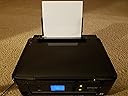
๐จ๏ธ Print smart, live sleek โ your wireless office essential.
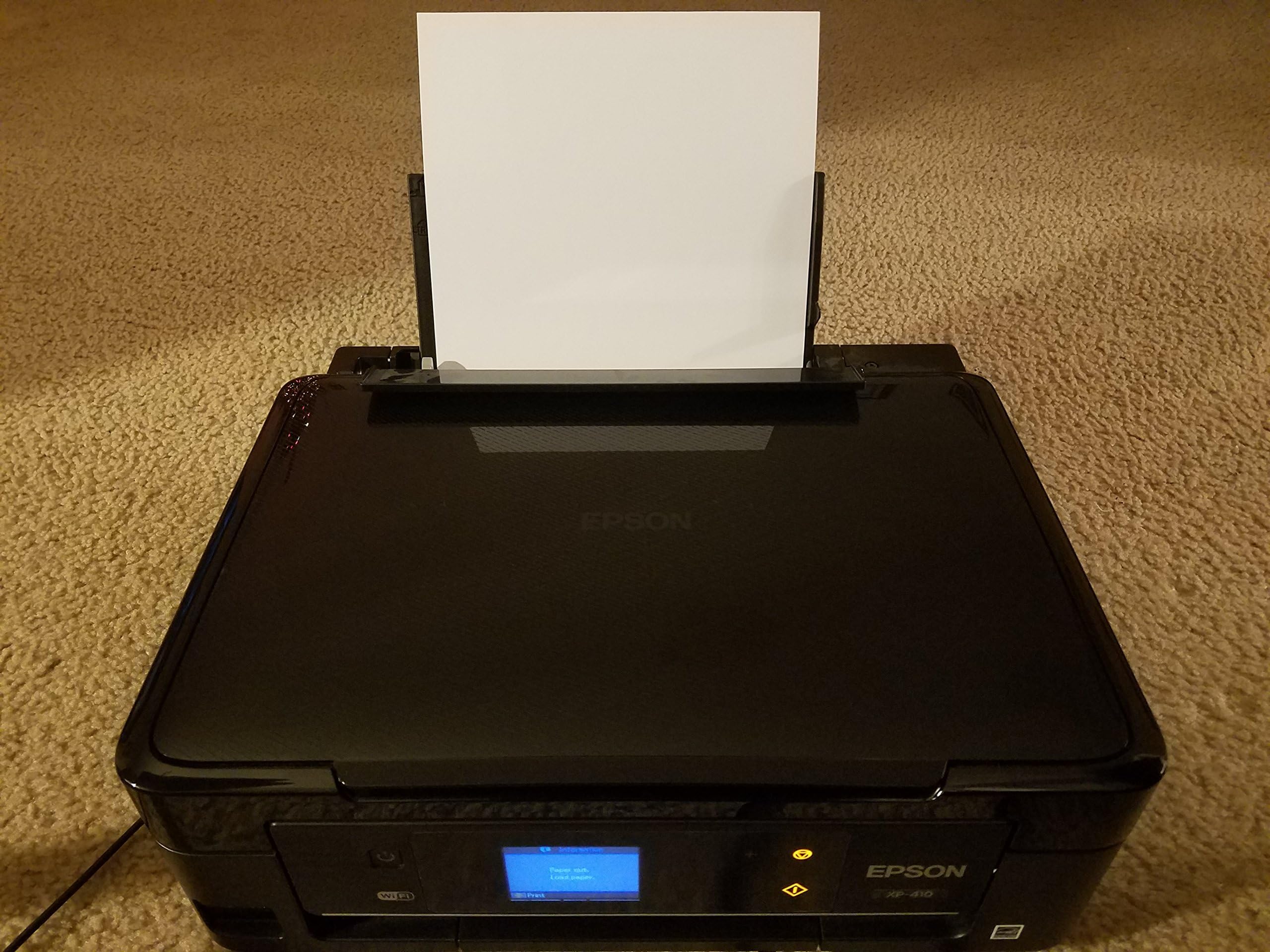
The Epson Expression XP-410 is a compact, wireless all-in-one inkjet printer designed for modern home offices. It supports Wi-Fi Direct and mobile printing via AirPrint and Google Cloud Print, features a 2.5" LCD touchscreen for easy borderless photo printing, and uses individual ink cartridges for cost-effective maintenance. With a sleek Small-in-One design and DURABrite Ultra instant-dry ink, it delivers reliable, quiet, and vibrant prints, making it a top choice for space-conscious professionals who demand convenience and quality.
| ASIN | B00CBAPEYE |
| Additional Printer Functions | All In One |
| B&W Pages per Minute | 8.7 ppm |
| Best Sellers Rank | #695,788 in Office Products ( See Top 100 in Office Products ) #334 in Ink Tank Printers |
| Brand | Epson |
| Built-In Media | Printer |
| Color | Black |
| Color Pages per Minute | 4 ppm |
| Compatible Cartridge | Arthur Imaging Epson Expression-XP-410 Ink Cartridges |
| Compatible Devices | Laptops, PC, Smartphones |
| Connectivity Technology | Wireless;Mobile; USB |
| Control Method | Voice |
| Controller Type | Amazon Alexa, Vera |
| Customer Reviews | 3.5 out of 5 stars 3,990 Reviews |
| Display Type | LCD |
| Dual-sided printing | No |
| Duplex | No |
| Global Trade Identification Number | 00010343907676 |
| Hardware Interface | USB |
| Ink Color | Black, Cyan, Magenta, Yellow |
| Item Weight | 9 Pounds |
| Manufacturer | Epson |
| Maximum Copies Per Run | 50-100 |
| Maximum Copy Resolution Black and White | 5760 x 1440 dpi |
| Maximum Copy Resolution Color | 5760 x 1440 dpi |
| Maximum Copy Speed Black and White | 8 ppm |
| Maximum Media Size | Paper Roll |
| Maximum Print Resolution Black and White | 5760 x 1440 |
| Maximum Sheet Capacity | 50 |
| Maximum print Resolution Color | 5760 x 1440 |
| Model Name | XP-410 |
| Model Number | C11CC87201 |
| Model Series | Expression Home |
| Number of Drivers | 1 |
| Number of Trays | 1 |
| Other Special Features of the Product | Copying, color, scanning, wireless |
| Paper Size | 4 inches |
| Print media | Glossy photo paper |
| Printer Connectivity Type | Wireless;Mobile; USB |
| Printer Output Type | Color |
| Printer Type | Inkjet |
| Printing Technology | Inkjet |
| Processor Count | 1 |
| Resolution | 5760 x 1440 |
| Scanner Type | document |
| Special Feature | Copying, color, scanning, wireless |
| Specific Uses For Product | Home |
| Total USB 2.0 Ports | 1 |
| Total Usb Ports | 1 |
| UPC | 010343907676 |
| Unit Count | 1.0 Count |
| Warranty Description | 1 year limited |
| Warranty Type | limited |
๏ฟฝ**๏ฟฝ
Very nice printer/scanner in a small size
We have a larger printer/scanner in our home office; but that's up a flight of stairs so we were looking for another option to use on our main floor for speedy printing from laptops, tablets, and smartphones. While quality printing and ease of use was important to us, one of the main considerations was a printer with a smaller footprint so that we could tuck it away in an inconspicuous spot in a storage area off our kitchen. This Epson XP-410 fits the bill for small size at around 15" x 12." Its height is only a bit over 5 inches (not counting the paper tray extension). We selected it because it was the most highly rated small printer on Amazon and also because I saw it recommended in PC magazine. For such a small printer, it does a lot. There are plenty of options and ways to connect to various devices. It can be hooked up to a computer with a USB 2.0 cable (not included) or there are options for using WiFi. If selecting WiFi, the instructions still recommend using the USB connection for the initial wireless setup. I've tried both ways and each worked easily. The whole process of taking it from the box, setting it up, installing software on my laptop, and test printing was a breeze. I was printing for real in less than 30 minutes. So far, the print quality is excellent...every bit as good as our $200+ printer. It prints at a slightly slower speed but is plenty fast for most of our needs. I like the fact that it has separate ink cartridges for all the colors. Our other printer works that way and I find that I go through one or two of the colors much more quickly than the others. This way, you don't have to replace an entire ink cartridge just because the yellow or black ran out. The scanning and copying functions work well also. As with many other printers, you can print photos directly from an SD card. A clear image of your photo will appear on the printer's display and allows you to make some final adjustments such as cropping. All in all, I'm very satisfied with the quality, performance, and price of this Epson XP-410 printer. At the time of my purchase, it was $69.99 with free 2-day Prime shipping. A good deal; but of course, the real expense in any of these printers is the constant replenishing of ink cartridges.
G**R
Great but Epson's DECEPTION is UNFORGIVABLE.
PREAMBLE: Make sure the supposed MEMORY CARD is in the box. I didn't know about it (or lack thereof) until the printer asked for it MONTHS after the warranty expired... and I'm still saying "What memory card?" BASICALLY: One of the features for which I'd bought this printer is the fact that it has SEPARATE INK COLOR CARTRIDGES for the obvious reason, having to replace ONLY the color that's needed/empty. In this vein, this printer is supposed to print in BLACK ALONE and even has a setting choice for black & white vs. color printing. GREAT! Right? The problem is that the printer IGNORES the setting and INSISTS that I replace my Magenta & Cyan cartridges even though I have plenty of BLACK ink, the only color in which I need to print! So, now, after just selling an expensive item on eBay, this printer has me totally IMMOBILIZED. Upon trying to force it to obey the Black/White printing setting through the control panel, it insists that I put in a MEMORY CARD! What??? This printer DID NOT COME WITH A MEMORY CARD although there is a "built in slot" (would there be any other kind?) for it that's repeatedly touted in the ads. Why would I need a memory card in order to SIMPLY PRINT OUT AN ADDRESS LABEL? Ridiculous. It has immobilized my business and I must now go to the post office and end up paying $10 more in postage since the eBay shipping/postage discount is available only online through eBay... not to mention the $20 taxi fare since my car's in the shop. Otherwise, the little printer is GREAT and I love its portability, its SMALL SIZE and light weight... and I was lucky enough to get it through an Amazon promotion for just $49 (like the Epson XP-420 promotion going on now). Epson's DECEPTION - that it will print in B&W - however, is an unforgivable drawback since this simple, little (and very slow), printer would NOT be purchased by anyone whose primary needs centered around photo printing but by someone like me And to constantly need to purchase not one but TWO COLORED INKS so that the printer can "make black" is both ridiculous and expensive, especially when I have an entire CARTRIDGE FULL OF BLACK ink within the printer (and 2 standbys!) The cartridges included with the printer are WAY TOO SKIMPY and one absolutely MUST BUY INK at the same time one purchases this printer. Lastly, Epson's attempt to force me to buy their ink is the likes of which I have never experienced from a printer manufacturer, although I must admit, I've always had expensive HPs, even a laser printer in the 1990s. Still, even the Canons & other printers I've used elsewhere have never been so brazen and PUSHY as is Epson; this printer is programmed to INDICATE LOW/EMPTY very early on (at a time when it still has PLENTY OF INK in the cartridges) and it constantly WARNS (more like "threatens") that your ink is low, repeatedly INTERRUPTING your work, forcing you to CHOOSE whether you wish to replace the cartridge right then and there!... even prompting you to go to Epson's web site for the purchase! Outrageous. It also constantly threatens (via the printer's screen) that all hell will break loose and your warranty will be null and void if you use anything but EPSON INK, offering (forcibly) a LEGAL DOCUMENT to be acknowledged (right then and there, yet again) via the printer's on-board prompts!!! and won't allow you to continue your work otherwise. Can this Epson printer print UN--- --- ---BELIEVABLE?!?!?!???????
A**O
Excellent Printer
I had an HP all-in-one for years. A few things bugged me about it. 1) It's curved edges and trapezoid-like shape made it fit awkwardly into the corner on the desk (this may sound stupid but space is at a premium in my small apartment). 2) I only had limited printing capability from mobile devices using HP apps. 3) obnoxiously loud while printing/scanning So, I bought this epson primarily to allow me access to the wonderful world of AirPrint. I unpacked it fully expecting a wasted night of fighting with firmware and visiting forums to get my printer to actually print (such was my struggle with the HP when setting it up). I used the touch button WPS setup and I was able to print from my ipad in minutes. No problem printing from my iPhone either. The worst part about desktop/laptop setup was actually having to boot up our desktop/laptops and run through the installation process. AirPrint worked fine once on wifi, but the other computers needed the drivers installed. Desktop/laptop setup went smoothly. No real issues to report and we were all set up about a half hour from start to finish (we had to do this with two laptops and a desktop). The square shape and collapsible appendages mean that the printer is a nice and neat little box which tucks into the corner nicely without edges jutting out wasting space. The flat touch screen is also nice because dust doesn't build up around the edges of buttons as it did on my HP. I also find that it prints a bit faster and much quieter. I wouldn't print with a sleeping baby in the room, but it's pretty hush hush considering how loud home printers can be. I see a lot of complaints about ink usage. Two things: the first is that ink is expensive for every printer. You can refill cartridges on your own or buy repurposed cartridges. Quality isn't guaranteed but you'll save a few bucks. The second is you should adjust most text printing to draft. It will speed up your printing and save ink in the end. It's also not Epson's fault if you bought this thinking you were getting an amazing deal on a commercial photo printer (which it never claims to be). I printed one photo just to see. The quality was fine. I order my prints and rarely print photos at home. However I felt the quality was marginally better than my old HP. All in all, I feel I got a good bang for my buck. This printer met the very specific criteria I had set for a printer and delivers a consistent result. The ease of setup alone makes it worth the money, in my opinion.
R**P
Designed to Sell Epson Inks- Things Have Changed
"For the money" this is a capable printer, scanner, copier. It's also small, light weight. and fairly rugged. But, if you print a lot, you will use a lot of ink, and now, you will be using only Epson OEM inks. I have purchased two of these all-in-one machines. The first one lasted 6 months, having printed about 250 pages per week, mostly B&W but also perhaps 30 pages of color. The machine traveled with me on the road, being trundled in and out of buildings on a daily basis. I didn't expect the seemingly flimsy plastic to last, but it certainly did. Unfortunately, it began leaking ink, finally refusing to print. Having had miserable experience with HP printers sold as portables at 8 times the cost of this Epson, I bought another Epson XP-410. This experience has not been altogether wonderful. First I could not plug the new XP-410 in my Lenovo X-1 and have it work with the drivers for the previous XP-410. I had to remove the previous drivers. When I installed only the printer and scanner drivers, however, the printer would not function. So, I had to install the entire Epson software suite. Now the printer was recognized, but in the blink of an eye, Epson notified me that the "firmware was being updated." I did not recognize this as an aggressive, sinister act, but have since come to see it that way. All went well until the black ink cartridge ran out. Replacing this with one of the rebuilt cartridges the previous XP-410 accepted, I was informed "black XL cartridge not recognized." The machine would not print with the refilled cartridge. This is a sea change from the behavior of the previous XP-410. The first XP-410 simply informed me that I was not using an OEM cartridge and quality might suffer. You were allowed to proceed. This is no longer an option. My guess is that the firmware upgrade contained instructions to identify and reject any non- Epson cartridges. Presumably, Epson is now copying the men's razor business model. The general idea is to sell a nice hand piece with a couple of blades, perhaps at a loss only to get the money back many times over selling replacement blades that only fit that handpiece. I'm in hopes that the refilled cartridge people will find a way around this problem. But I modestly propose that one purchase a new XP-410 every time the ink runs out. The cost of the XP-410 is currently seventy dollars in round numbers while the cost of a package OEM ink cartridges is about thirty- eight dollars. So, one could most likely sell the XP-410 on one of the auction sites for fifty dollars and have only twenty two dollars spent to acquire the next, new XP-410 with a new ink supply. Overall a nice machine but be aware of the cost of the ink.
O**N
Is this printer related to Voyager 1 and 2?
I'm in the market for a new printer for a remodeled office. Because I'm not going to print much and have limited space, I need a small, cheapo printer. However, the ONLY brand I will consider is EPSON. Why? Well, the current printer I have in a personal space in another part of my house is this one here: The Epson Expression XP-410. And let me tell you, this printer has gone way above and beyond any reasonable life expectancy. I bought this little printer back in 2014 right here through Amazon. When I was researching a new printer, I couldn't even remember when I got this one until I searched through my old emails and found the original order email. It's now late 2025, and this little guy is showing zero signs of slowing down. When I got it in 2014, my brother admonished me that EPSONs are cheap printers and get something else. But at the time, I needed something cheap, fast and compact enough to fit on this small, raised shelf on my desk. The Epson XP-410 fit the bill. I figured if it lasted me a couple of years, that's ok. I'm going to get a better desk soon at some point and I'll then get a better printer. Well, 11 years later, same desk, and same printer haha. And that includes the year 2020 and all the subsequent years as I went from 100% office employee to hybrid employee overnight and my job requires a heavy flow of printing, so I've been printing on it DAILY for over 5 years now. And it keeps printing like a champ! I would NOT pay the ridiculous used prices some people are selling them on here in the 100s. That's insane. And I doubt I'd ever find a brand new, in the box version of this printer anywhere. So I'm going to get the Epson Expression XP-4205. It's basically the same printer, but a newer updated model. The dimensions are almost identical which is, once again a determining factor. If that one lasts half as long as my little trooper has done here, it'll have paid for itself and then some.
N**O
I've Had This For On Year Now
I have had this printer for exactly one year. I would give it 3.5 stars if possible. It's a good printer, but not a GREAT printer. We originally bought it so that we could scan a few pictures and print a few school reports for my son as well as sports and concert tickets. In other words, it was intended for light duty and works great in that capacity. The wireless setup was easy and all our Ipads, Iphones and Google accounts are connected. We can print from almost anywhere to this printer and it's been great in that respect. Recently, we've relied on it a bit more heavily since my wife started working from home a few days a week. Suddenly its limitations have become very apparent. It's not a business printer, it wasn't intended to be so I don't hold that against it. But the ink cartridge situation is a bit crazy and that's where I deducted stars. Now the cartridges themselves are reasonably priced but if you do any semi regular printing, you will need to replenish them every other month. And then there is the situation where if you are low on one of your color cartridges, the printer won't allow you to print black even if you have a full black cartridge. That just doesn't make sense. And to make matters worse, every time we change the cartridges, we have to go through the "clean nozzles", "align printer", "check nozzles" routine. EVERY time. Sometimes more than once before we can get a good looking print. In fact, we just went through this yesterday with a brand new set of ink cartridges and by the time we were done with all the test prints, the printer diagnostics revealed that we had used 50% of the black cartridge we JUST put in. I'd hope that the printer would be a bit more robust when adding new cartridges, but so far it has required us to go through this process with each cartridge swap. So if you plan on light printing throughout the year, than this is a good and versatile printer. If you plan on printing newsletters or any high volume of prints, you might want to upgrade to something a little more business oriented.
H**R
3 in 1? More like 1/2 in 1. Extremely disappointing & frustrating.
I bought this printer last year after extensive research and reading product reviews, but have only been disappointed. It has been an ongoing battle for the last year and we have finally decided to give up on it altogether and replace this printer because we are simply sick of the headaches and poor quality. Here are my complaints: 1. Print quality is mediocre at best. Pigments are unsaturated and pixelated. Streaking and smudging is commonplace, even with frequent print head cleaning and maintenance. Even after multiple attempts to clean out the print nozzles or run other maintenance operations, there will still be ink build up at the page edges and/or streaks through portions of texts/images. I have never used a printer that required so much maintenance, especially considering how light our usage has been. Even when brand new, we were disappointed with the quality. We would have been able to overlook it for basic/light home use if not for the other issues. 2. Set up issues. EVERY. SINGLE. TIME. It's amazing really. Somehow in over a year we have never successfully been able to just hit "print" and have it actually work. There is always something that needs to be reinstalled, reconnected, restarted, a driver needs to be updated...the list goes on. My husband manages the IT at his office and set up our home network, so this isn't a user set-up issue. There have been numerous issues with the Epson software and drivers- totally unreliable. 3. If you run out of any color ink, you can't just print in black and white. You're just done. So frustrating. 4. Ink runs out so fast! We are extremely light users (maybe 5 prints/month) and I have to replace one of the cartridges every other use. Combined with the fact that you can't just print using the other colors until you replace the cartridge, this becomes a huge annoyance. 5. We have never been able to get the scanner to work properly with our network. Even hard wired it still does not work! I have ended up keeping my old scanner plugged in and am therefore not saving any desk space with this "3 in 1." 6. The cloud printing has never worked with our network. Even after we spend time setting it up and trying all kinds of aps, the very next time we attempt to print with the method it does not work- see complaint 2. 7. Network printing connection is sketchy at best- see complaint 2. As a side note, we have the slightly more commercial version of this printer line at my office and it has similarly low-saturated, high-pixelated print quality. Bad experiences all around- I would not recommend this entire line of Epson printers.
S**E
Awesome little printer
It arrived earlier than expected, which I'm shocked about since I was expecting it after the holidays. The printer is small and sleek looking. I have the newest MacBook Pro with Retina (late 2013) which has OS Mavericks (10.9). Disregard what the Epson site says as far as "supported OS" as they only list up to 10.8. I emailed them prior to purchasing and was told this printer would work with Mavericks and surely enough, it worked just fine out of the box. NOTE: Some people were reporting an incompatibility issue after updating from an older OS, but this was apparently resolved after downloading the new drivers from the Epson site. Mine came with Mavericks, so I did not experience this issue myself. All that aside, I powered the printer on and the little screen lit up. It's pretty user friendly and basically tells you what to press. There are plenty of print options, like cloud printing, air printing, or wireless printing. There are a bunch of scan options, too, like scanning directly to email, files, cloud, wireless direct, etc. The printer comes with black and color cartridges but keep in mind that they are the smaller starter cartridges so I'd advise just going ahead and getting regular ones early on. It takes the "Epson 200" cartridges. I hear that the printer has trouble recognizing off-brand cartridges which kind of sucks because they're cheaper, but I'd go ahead and get the real thing to ensure they actually work. I think I got a color multipack for under $25, actually. I test printed a few pictures and some regular text and they printed beautifully with no smudging. The printing was rather quick, too, which is convenient if you're in a hurry. I'm not sure how it handles big jobs, though, but I'll update this review if I ever have one.
M**I
A great R.O.I
I found the Epson XP-410 to be an excellent wireless/wired printer for the money. Just be forewarned that the free ink cartridges that come with it have very little ink in them and are intended only to demo the printer. As such, you would be wise to order a set of new ink cartridges at the same time you buy the printer. The printer uses individual BLK, Y, BL, CYK cartridge, so you save money by only replacing one cartridge at a time (unlike my other printer that uses an all in one cartridge). Print speed is expectantly slow (but produces photo quality output) when printing in full hi-resolution color. Conversely, it's lightning fast in B&W, draft or grey-scale. The pages literally fly out of the it in rapid succession. Wireless setup is incredibly simple, but even simpler if you use a USB cable (not included). Scanning to a remote computer, or even to a memory card, is a breeze. I'd definitely recommend this printer.
S**R
BROKE AFTER 15 prints
I am furious with this product . Not only have I wasted many ink cartridges but have also wasted my time. This is a horrible product and I would like my printer replaced
L**C
Prints like a Pro!
Amazing printer, admittedly my first wireless. Over several months use, not one paper jam. My new Epson prints at a professional capacity, even considering its small size. It took only minutes to setup and I really like the LED Screen which enables one to command the printer, scanner or copier. Much like other technology I suppose, but I hadn't realized how the ease of operation of personal printers have advanced in just a short time -- I was most pleased to toss the piece of junk I was using, I'm so impressed that I think from now on I'll stick with Epson!
G**O
Good printer for the money.
We got this printer as a quick print printer for out upstairs office in the home. For general purpose printing and all-in-one type stuff, it works well. It does a pretty good job of 8x10 prints for photo work, but it's not like the Epson R200 either. We got this because the R2000 cartridges are expensive by comparison. It's not a fast printer, but then again, at the price point, I didn't expect it to be either. It's adequate for what we do with it. We have had it only a couple of weeks and on our third set of cartridges due to some high volume print requirements. The initial cartridges didn't seem to last as long as the second set, but that's purely anecdotal :-) Setup was very easy and we had it working on our network for a couple of machines very quickly.
S**A
Good printer and I enjoy the 3 in 1 capacity
Good printer and I enjoy the 3 in 1 capacity. The only downfall is when printing something it takes forever. Granted not a bad product for the cost.
Trustpilot
3 weeks ago
3 weeks ago