We remain fully operational. Our teams are working around the clock to ensure your deliveries continue safely.
DOWNLOAD THE APP


Customer Services
Copyright © 2025 Desertcart Holdings Limited
DOWNLOAD THE APP
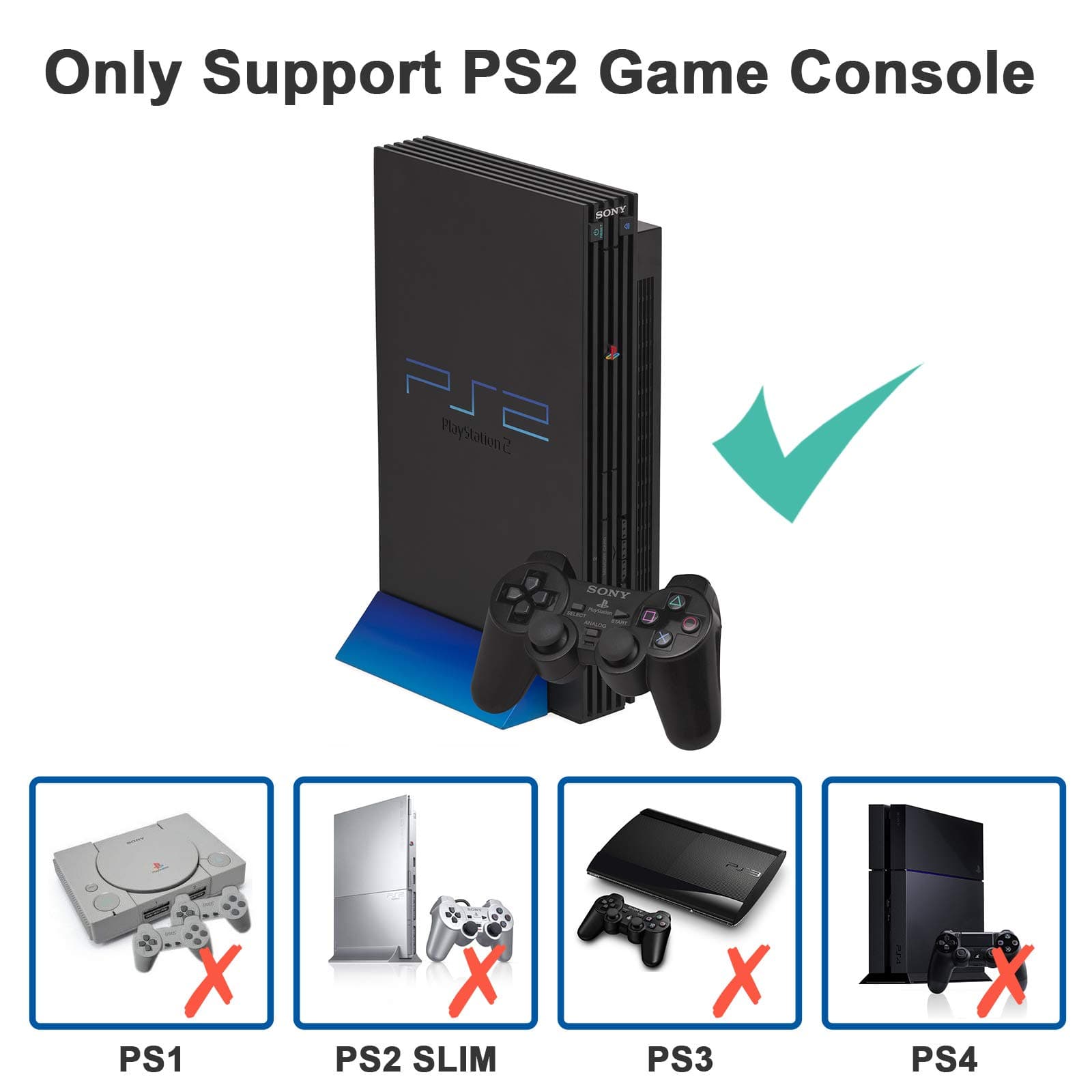
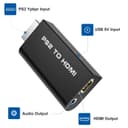
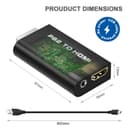
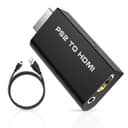
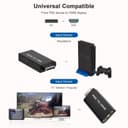

🎮 Level up your PS2 nostalgia with crystal-clear HDMI magic!
The Rybozen PS2 to HDMI Converter Adapter (M209) upgrades your classic PlayStation 2 gaming by converting all PS2 display modes (480i, 576i, 480p) into high-quality digital HDMI output. Powered via USB directly from the PS2, it eliminates the need for external adapters, offering a plug-and-play experience with stable, blur-free visuals and simultaneous audio output through a 3.5mm jack. Compatible with HDTVs, monitors, and projectors, this compact adapter revitalizes your retro gaming setup with modern display standards.


| ASIN | B08VFBTQ3X |
| Best Sellers Rank | #517 in Video Converters |
| Customer Reviews | 4.2 4.2 out of 5 stars (555) |
| Date First Available | January 30, 2021 |
| Item Weight | 2.12 ounces |
| Item model number | M209 |
| Manufacturer | Rybozen |
| Package Dimensions | 5.2 x 3.03 x 0.94 inches |
T**R
No issues so far. Check all of your settings first.
I have an old PS2 (fat) that I wanted to play so that I could revisit some classic games. All of my original composite connections still worked but for whatever reason, as soon as I turned on the PS2, the picture on my tv would always lose brightness after a few minutes. HDMI TVs were not as big of a deal back when the PS2 launched, so the output when trying to play on newer televisions will look fuzzy and darker than what you may currently be used to. The TV that I am using now isn't the same one that I used to play on way back in the day. So to get the best picture quality for these newer TVs, an updated connection is needed. And after doing some research, I decided to get this PS2 to HDMI converter. During my research, I realized that there are also RCA to HDMI converters which are a tad different from this PS2 to HDMI converter. This converter plugs directly into the back of the PS2 replacing the A/V ( or the SCPH-10500) cable that originally came with the PS2. You then have to plug an HDMI cable into this converter and connect it to your TV. So it's your PS2 > this converter > an HDMI cable > your TV. That's it. On the flip side, the RCA to HDMI converters I saw are used ALONG WITH the original PS2 A/V cables AND an HDMI cable. So it would be your PS2 > your old A/V connection > new RCA to HDMI converter > HDMI cable > your TV. Yeah, it's just 1 more item. But that just seemed like too many cables plugging into each other for my liking. So I opted for the more direct connection and purchased this PS2 to HDMI converter from Amazon. Once again, RCA to HDMI is a bit different from PS2 to HDMI. From what I can tell, you can ONLY use PS2 to HDMI converter for your Playstation whereas you can use an RCA to HDMI for other older devices such as a VCR. The only thing that threw me off is that this PS2 to HDMI device says it's Plug N Play and that no external power is needed. But I absolutely had to use the USB on the front of the PS2 to supply power to the converter. Once I did that, picture appeared immediately. No delay, no hiccup, no slowdown. The 1 star reviews scared me at first but I also read other reviews which suggested toggling your RGB settings in the PS2. Try that if you aren't getting a picture on your TV. Also, make sure the converter is getting power from the supplied USB cable. It's long enough to reach the ports on the front of your Playstation. In summary, this works just the way I wanted it to. I would have taken away a star if I had to power up the device from an actual wall outlet. But since I can use the PS2's own power to give it juice and everything is pretty self-contained, I'm pleased with the results. As far as picture quality, it no longer loses brightness when I turn on the system. And the picture is also a little sharper than when I had the old set-up. 5 stars and no, I was NOT compensated in any way for this review.
N**E
Good product
Love this product . Bought awhile ago and still works to this day
L**D
Does not work as advertised
bought this thinking it would work like a charm boy was i wrong. I get audio when i hook external speakers to it but no video from my ps2. I even made sure the settings on the ps2 were set correctly for the video and still no luck not sure if its my screen not auto adjusting to the 480p signal coming from the adapter or if the adapter is complete junk. I would strongly suggest not buying this till you know if your monitor or tv can support the resolutions needed. I am now out 8 bucks kinda sucks.
O**G
Perfect adaptor for PlayStation
Adapter was the perfect solution for our PlayStation.
S**Z
Forces 4:3 aspect ratio
this looks great but why does it force 4:3 aspect ratio? The work around is having the tv stretch the signal to make it appear normal even with 16:9 active on the console. Also the console needs to have YCb/Pb Cr//Pr component settings on before using the converter, otherwise it won’t display. All in all, it’s worth $8. I don’t why it doesn’t come out as plug-n-play but works.
B**D
Great ps2 to hdmi dapter
Great ps2 to hdmi adapter. This works great! Price is good and shipping was rapid. Thank uou!
K**.
Get back to retro gaming on led tvs
The absolute best accessory for your PS2 for new TVs!
K**E
Lets me play Gran Turismo 4 at 1080i resolution!
I can't see more expensive solutions such as a OSSC or RetroTink producing a better picture than this cheap adapter. The image is crisp, vibrant, and makes games that support higher resolutions look like they're on a more powerful system. Most games will run at 480p, and have no option for higher resolutions, so you will see pixelation on a large LCD screen, but the image isn't blurry or fuzzy, and there's no flicker. I think interlaced resolutions might introduce flicker or miss one field of the image as the Japan night track in GT4 shows text that appears to be cut off, like it's missing lines. But running at 480p, 720p, or 1080i looks fine to me. 1080i is interlaced, but it's still 960 pixels of vertical resolution per field, which is plenty of resolution to display the text which is designed to be readable at 640 pixel vertical resolution. If you're looking to take full advantage of your PS2's widescreen and higher resolution capabilities, or just want to be able to play your old games on a modern HDTV, this is a good, affordable solution.
Trustpilot
1 month ago
1 day ago