Desertcart purchases this item on your behalf and handles shipping, customs, and support to France.
🔗 Connect, Charge, and Conquer!
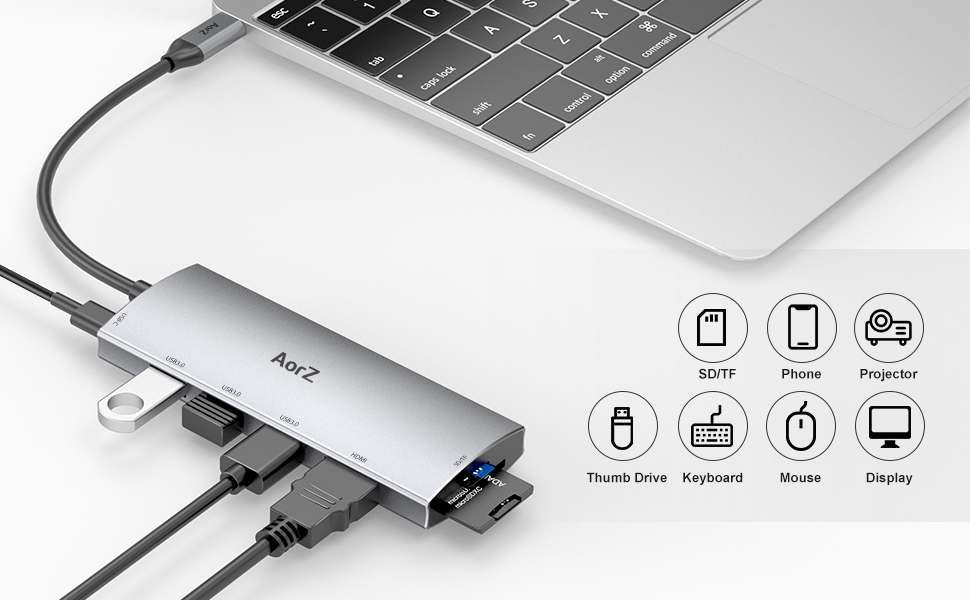
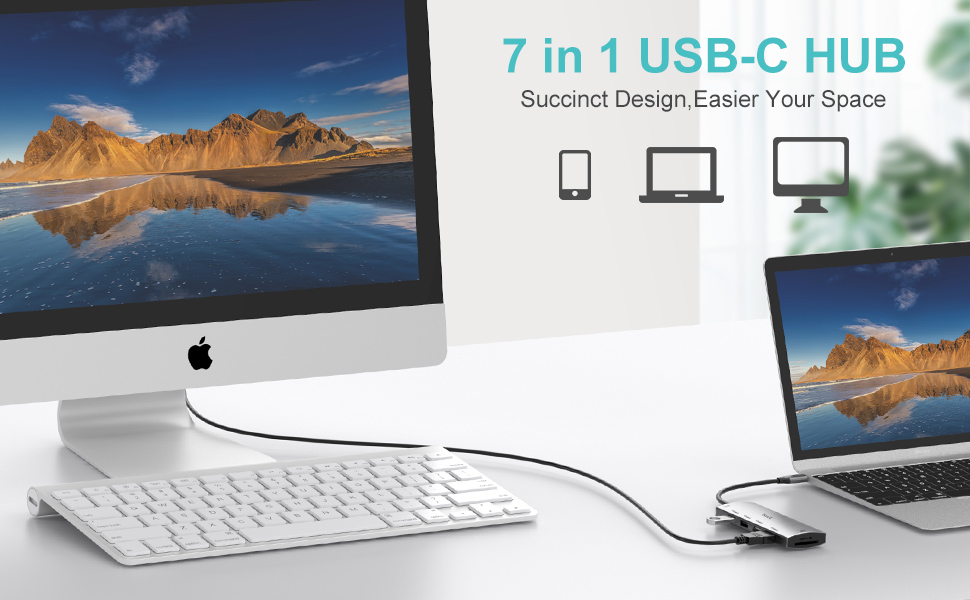
The AorZ USB C Hub is a versatile 7-in-1 dongle adapter designed for seamless connectivity and high-speed data transfer. It features a 4K HDMI output, three USB 3.0 ports, and SD/Micro SD card readers, all while supporting 100W power delivery for charging. Compatible with a wide range of Type-C devices, this hub is perfect for professionals seeking efficiency and performance.


| Additional Features | Play, Plug |
| Asin | B08MZZVFX6 |
| Best Sellers Rank | #466 in USB Hubs |
| Brand | Aorz |
| Color | Grey |
| Compatible Devices | Card Readers, Laptops, Monitors, Projectors, Tablets |
| Customer Reviews | 4.3 4.3 out of 5 stars (6,366) 4.3 out of 5 stars |
| Data Transfer Rate | 5 gigabits_per_second |
| Enclosure Material | Plastic |
| Hardware Interface | USB |
| Item Dimensions L X W X H | 10.47"L x 1.65"W x 0.59"H |
| Item Weight | 0.07 kg |
| Manufacturer | Aorz |
| Mfr Part Number | DH112125 |
| Model Number | DH112125 |
| Number Of Ports | 7 |
| Operating System | Unix |
| Total Usb Ports | 3 |
| Upc | 795310055177 |
User
Exceptional 7-in-1 USB-C Hub - AorZ USB C Dongle Adapter
The 7-in-1 massive expansion capability of this USB-C splitter is truly remarkable. The inclusion of a PD fast charging port, HDMI port, 3 USB 3.0 ports, and dual SD/TF card readers makes it an all-encompassing solution for users like me, who rely heavily on various peripherals and external storage devices in our professional and personal pursuits.The 4K USB C adapter functionality deserves special commendation. The HDMI port's ability to extend my screen and deliver 4K UHD at 30Hz or Full HD 1080p at 60Hz has transformed my multimedia experience. Whether streaming movies on my HDTV, engaging in 3D video games on multiple monitors, or presenting PowerPoint slides during office meetings, the vivid video sync provided by the AorZ thunderbolt to HDMI is truly impressive.Equally noteworthy is the super-speed USB 3.0 transfer capability. This feature allows seamless connections to peripherals such as keyboards, mice, and hard drives, with an impressive data transmission speed of up to 5Gbps. The backward compatibility with USB A 2.0 ensures versatility and convenience in usage.One of the standout features is the fast PD charging support. The inclusion of the latest smart chip technology enables USB-C pass-through 100W charging, allowing simultaneous charging of connected devices while using the adapter hub. It's worth noting that the female PD (USB-C) exclusively provides charging power to the hub and the connected male USB-C device.The plug-and-play design, coupled with broad compatibility across various Type-C (USB-C) devices, including MacBook Pro, MacBook Air, iPad Pro, Chromebook, and more, makes the AorZ USB C Hub a hassle-free and versatile solution for diverse user scenarios. The hub's compatibility extends to operating systems such as Windows, Mac, Unix, and Chromebook OS, ensuring a seamless experience across different platforms.In conclusion, I am thoroughly impressed with the AorZ USB C Hub's performance and versatility. It has become an indispensable part of my professional toolkit, and I wholeheartedly recommend it to anyone seeking a reliable, feature-rich USB-C hub solution.
User
Works great
This works great on my Dell G5 15 5590 laptop. I have a keyboard and mouse hooked up to the usb ports, and a 2560 x 1600 60hz monitor via the HDMI port. Everything works fine. Gaming with no issues. Like other reviews have said, the SD card slot is too tight, and sometimes it will read the card, sometimes it won't. When it does read the card, it's super fast. I did bend my SD Card once when trying to shove it in, so be careful (I thought I broke my card, but thankfully not!). Minus one star for the SD Card slot. That being said, I don't use the SD card all that much.I don't have power hooked up to the hub because my laptop is ridiculous and requires a 180W power supply, so it can't charge via the USB-C cable, but that's no fault of the hub, and I knew this going in.BUT, being able to plug in just the one USB-C port into the side of my laptop and have my full desktop setup just work is really cool. And being able to use my full desktop setup with my work laptop and personal laptop by switching just the one USB-C cable is super convenient. I cannot emphasize enough just how easy and cool it is to hook your laptop up to a monitor and multiple USB ports with just one plug! Even though it loses a star for the SD Card slot, I still give it five stars because of how much I use it and how portable it makes my laptop. AND it's really cheap!I will be getting more of these USB-C hubs for other setups.
User
Great, but has a few caveats
I should start off by saying, this hub works excellently for most things, transfer speeds are as expected, and the HDMI works great (this is why I bought it). For reference, I use this primarily with my phone, to connect to an external touch monitor (which is USB powered).I will however say that there are a few caveats that might be worth considering. One is that the hub can get very hot when you are drawing a lot of power or have a lot of things plugged in. Not an issue if you never touch it, but still a little concerning.The other issue is that the PD charging appears to mostly pass through to the device, it does not fully power the hub. This is a bit of an issue because if the device isn't capable of providing full power to the hub, it will cause overcurrent errors and the device will disable the hub. Not an issue on my laptop, but when I use it with my phone it's pretty annoying, as it causes issues with my external monitor.Other than that, it's a great little hub and seems well built, so if you don't need the power distribution it's an excellent product for the price.
User
Works Great!
Just what I wanted. Since most of my external’s are USB and computer is two USBC
User
Solid device for USBs
I needed something to allow for additional USB plug ins with my computer at work. This has 4 USB (including a micro-usb), a standard HDMI, and an SD and micro-SD memory slots. It's been a huge help. My docking station is has limited plugs and they are hard to get to, even without my monitor stand. If my team hands me something, I can take care of their issue much more quickly. Materials-wise, it "feels" cheap. That said, it's sturdy enough to get bonked around a bit. The cable that plugs in to the docking station has a strong bend that I've not been able to straighten to any degree. The device is smaller which helps me put it wherever I need it on my desk. It seems easy to travel with and should fit easily into any travel bag. One thing I've noticed is that it warms up a bit. This is separate from its current home on my docking station. (See image.) I have not had every plug used on this at one time yet and, with the warmth I feel, I'd put it in an open space just in case. I have not used the SD slots yet but it's only a matter of time.
User
Feisty little thing that worked fine with a Dell Precision 5550.
Bought this for use with a Dell Precision 5550 as a travel dongle. For about $15 I can't imagine doing much better.I had two requirements which it met:1. Give me a 4K hdmi output, to use with a TV where I was going as a second monitor not for gaming but for office stuff (check).2. Give me a couple of USBs to plug in a trackball if I wanted to or a USB thumbdrive or a USB headset (check).I know there are other things that it can be used for, but I did not bother with them. For what I needed it for, it more than did the job. I did not think these little jobbies would work, so now I have gotten greedy and will look for a bigger brother with 2 or 3 hdmi ports and a LAN output. Will see how that goes.To summarize, it did everything I asked it to do on a Precision 5550 and it is much easier to lug around traveling than that monstrosity of a docking station mine came with and if per chance it gets lost damaged or have stuff spilled on it? Who cares? It's expendable but so far it works just fine.P.S. what is up with Amazon reviews? There was a rating for camera quality for this, is it mischaracterized?????P.P.S.Had it for a bit now, still works fine, just two comments:A. it can get PRETTY hot, but so far still works fine.B. IF I hot swap it out, then it will crash windows.Still like it, still 5 stars pending any other issues.
User
It works, but it needs to be reset constantly. I'd recommend staying away to avoid frustration.
The good: this does exactly what it advertises. I connected a 1080p monitor to my MacBook and use mouse/keyboard for the USB ports, and it works great.The bad: The dongle occasionally loses its mind and stops working when connecting or logging into the MacBook. The only resolution is to unplug the power from the hub for a time and allow it to reset. This happens once or twice a day. I have another dongle that has never had any such issue, so this product is either inferior or defective.Edit: With a replacement the problem exists as wellEdit 2: I started using this again and it's even worse than I remember. Not only do I have to constantly unplug power from this device to reset it and get the monitor to work, the keyboard dongle also keeps wigging out during this process, and even outside of it, so I have to unplug and re-plug it in. I use the same keyboard on another computer and it never has this issue. I also tried to use the USB port with another data device and it didn't seem to work fully. I reduced the rating to 1 star because while I can acknowlege it works as advertised, the fact that it has a good chance to have to be reset even after sleeping the macbook for just a few minutes makes it nearly unusable. Another side effect I found is if I plug in power directly to the macbook instead of the dongle, the macbook thinks the dongle is power and it results in battery drain. Its a tempermental and defective device. And again this is confirmed on the replacement, so its just not a good product.
User
A simple way to add more ports to a Mac or laptop
Bought this as a hub for my M1 Mac Mini and it works great for that! I have my keyboard, mouse, and monitor all connected and it works great! The Mac Mini simply doesn't come with enough ports for room for anything else if it has both a wired keyboard and mouse. It can drive my 1440p 60hz monitor just fine through the hub, no delay or limitation with the resolution (it does top out at 4K 30hz though), feels like plugging it in directly. It also works seamlessly for plugging into my Windows laptop whenever I want to use it with an extra bigger screen and a real mouse and keyboard. It does get a little warm to the touch when a monitor is plugged in, but never gets hot. I cannot comment on the power pass-through as my laptop didn't come with a USB-C charger and the Mac obviously doesn't need it. I like the metallic look of it (be aware it is plastic though), it almost matches the look of the metal of the Mac, though it is a little darker looking in comparison.A couple issues I had with using with my Mac, when I turned my Mac back on from sleep, the screen wouldn't turn back on, even though the Mac was back on and the keyboard and mouse were clearly still working. (Keyboard and Mouse worked to wake through the hub.) Other times, I would turn it back on and the entire screen had a lime-green tint. Both issues went away after unplugging and plugging back in each time they were an issue. I didn't experience this with my Windows laptop, so it might just be a Mac issue.Overall, a nice, cheap USB-C hub and would recommend to anyone looking to add a monitor or a few fast USB ports to their laptop or Mac.
User
ممتاز
استخدمه مع جهاز Chromecast واهو احد الاجهزة القليل اللي يشتغل معاه .اكيد انصح بالمنتج
Trustpilot
3 weeks ago
4 days ago