⚡ Connect to the Future with NETGEAR!
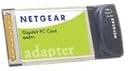
The NETGEAR GA511 Gigabit Ethernet PC Card delivers high-speed connectivity with an auto-sensing port for hassle-free setup. Its compact design and Smart Wizard installation make it an essential tool for professionals seeking reliable network performance, all backed by a one-year warranty.
| ASIN | B0002VITFU |
| Customer Reviews | 4.2 4.2 out of 5 stars (30) |
| Date First Available | September 13, 2007 |
| Item Weight | 5.6 ounces |
| Item model number | GA511 |
| Manufacturer | Netgear |
| National Stock Number | 7025-01-570-3174 |
| Product Dimensions | 6.4 x 9.1 x 2 inches |
C**N
Great card!
This card works very well. I purchased the card for two reasons: 1) faster internet access than the wireless adapter I have and 2) to enable faster movement of files from the laptop to my home server using Gig-E. My laptop is running WinXP and the card installed without any problems. One of the easiest installs I have ever done.
M**A
Works until you try to boot without it. SUCKS
I am shocked that Netgear is providing an old driver (2004) NOT CERTIFIED WITH XP. Bought this Jan 2006. The crashing drove me crazy since nothing identified the driver as the problem until a day later through process of elimination. Wow. Netgear really blew it on this one.
N**E
Not ideal, but works (eventually)
After meticulously following the installation instructions for Windows XP, I encountered nothing but trouble. First, the card switched to different speeds (10, 100, and 1000) so frequently that it was unusable. I tried different Cat 5e cables, different ports on my GigE switch (that another computer has no problems with), and even a 10/100 switch. Interestingly, the LEDs on the device indicated that it was able to detect & lock onto 1000 Mbps, right away. Disabling auto-negotiation didn't help, at all. I checked Netgear's site for an updated driver. The only one they had was labelled something like "Initial Version". As the name suggests, all the file sizes & dates were the same as the one on the included CD. Then, I tried upgrading the driver for my CardBus controller. This resulted in the computer becoming unresponsive, whenever a network cable was plugged into the card! Finally, in a fit of desperation, I checked Realtek's site for new drivers (the Realtek RTL8169/8110 seems to be the controller used in this card). Interestingly, the driver showed up in the "hot downloads" section - so it seems others may have been experiencing problems with this chipset, too. After I installed it, all my problems magically disappeared! SHAME ON NETGEAR!! I'll concede that the bar for product quality, across the industry, has been gradually lowered to a point where I'm not even surprised to find buggy drivers included with the hardware. However, I think it's virtually unforgivable that they failed to provide updated drivers on their website, when the included drivers were so poor and given that this product has been on the market for nearly a year!! This is my second experience with Realtek-based networking products that are virtually unusable - at least with the shipping driver. I will definitely avoid Realtek-based products, in the future. Even if I hadn't encountered the various driver problems, I'd still have difficulty giving this product a 5-star rating. My other complaints include: rather disappointing performance, excessive heat dissipation / power consumption, high CPU utilization, and only 3KB MTU jumbo frame support. I can't even hit 200 Mbps on a 1.4 GHz Pentium M, when the file is entirely in cache, and I'm transferring it to a very fast server. Upon ejecting, after use, the card is almost too hot to touch - I hope this amount of heat doesn't cause damage to my notebook & I would be concerned about using this card on battery power (though usually if you can plug into ethernet, you can also use AC power). When transferring large files (such as in my previous example), it seems my CPU usage nearly tops out - to be fair, I don't know if this is more the fault of the card, the drivers, or my notebook. Finally, if you're planning to use this on an exclusively GigE LAN, where all the other machines can be configured to use Jumbo frames, you'll probably be disappointed to find that this card only supports up to 3 KB MTU (even though the driver suggests otherwise, by providing an option including sizes up to 7 KB) - it should be noted that this probably won't affect at least 95% of users. On the other hand, the price is pretty good.
M**Y
Netgear GA511
I have always been happy with Netgear products. With this one, however, I believe they have the drivers mixed up by name from what I have read. My problem with this one is my Compaq Presario 12XL401 would not recognize it. As I said, subsequent reading has shown others have experienced the same problem and it seems to be with the drivers. I was unable to get it to work. Amazon.com was very quick to issue a RMA Number and upon receipt, quickly processed a refund. I have nothing negative to say about the product nor the merchant. I never fear to do business with Netgear or Amazon.com.
R**C
Works as advertised
I purchased this network card to install into an old Dell laptop with the intention of turning the laptop into an internet gateway/router. This network card worked great and was compatible with all linux/router distributions that I tried.
A**A
Works as expected
I bought this card for use with a linux laptop (Dell Inspiron 5100). And it worked right out of the box. I am running Fedora Core 6. Keep in mind that you wont be able to get the full gigabit speeds with a PCMCIA card. My cursory testing got me around 380Mbps.
G**L
Warning - NDIS 2.0 drivers are NOT supplied despite what box says
You would think that a gigabit PCMCIA card would be just what most Norton GHOST or Altiris users were waiting for...network imaging would now hopefully be complete in a fraction of the usual 100 Mbit time. So I was excited to see on the GA511 box that NDIS 2.0 drivers were included!!! Imagine my surprise when I got home, opened the box, checked the product CD, and FOUND NO NDIS drivers !!! Several inquiries to Netgear Tech Support have confirmed NO NDIS drivers are included and none planned!!! Are they insane? Laptops and drive imaging using products like GHOST were made for each other, and now Netgear won't support NDIS 2.0 for GHOST and similar boot-disk imagers? It's simply false advertising, with no apologies! Avoid this card and wait for Linksys or Belkin to offer the same WITH an NDIS driver.
P**)
Works better than fast ethernet
First, make sure you get the newest drivers from the RealTek website (NOT the Netgear website--they won't work on XP). It is the RTL8169 driver and it is located under PCI devices on the website After installing the RealTek drivers and removing the Netgear drivers, the card started working fine and much better than the internal card on my old laptop. I haven't had the chance to run cable to my GbE switch, but I'll be happy as long as its faster than FE (although I don't expect much more than the 300 or so mbps limited by the Cardbus port). Definitely worth the 6 dollars for a refurbished one
Trustpilot
3 days ago
1 month ago