We remain fully operational. Our teams are working around the clock to ensure your deliveries continue safely.

DOWNLOAD THE APP


Customer Services
Copyright © 2025 Desertcart Holdings Limited
DOWNLOAD THE APP
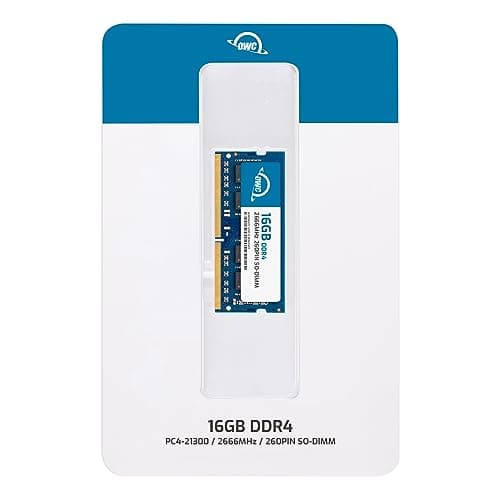




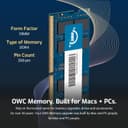
🚀 Upgrade Your Workflow, Leave Lag Behind!
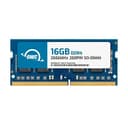
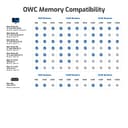
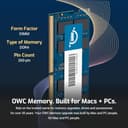
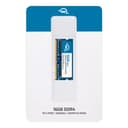
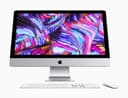
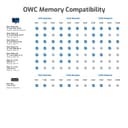
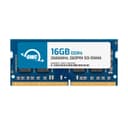
The OWC 16GB 2666MHz DDR4 PC4-21300 SO-DIMM memory module is a premium, RoHS-certified upgrade designed for 2018 Mac Mini (Macmini8,1), 2019 27-inch iMac (iMac19,1), and compatible PC laptops. Operating at a power-efficient 1.2V, it delivers high-speed performance and reliability, backed by a lifetime warranty and expert support, making it the go-to choice for professionals seeking a seamless, powerful memory boost.

| ASIN | B07NJV1JRT |
| Batteries Included | No |
| Batteries Required | No |
| Best Sellers Rank | #389,966 in Electronics ( See Top 100 in Electronics ) #853 in Memory |
| Brand | OWC |
| Compatible Devices | Laptop |
| Computer Memory Type | DDR4 SDRAM |
| Customer Reviews | 4.4 4.4 out of 5 stars (1,814) |
| Data Transfer Rate | 2666 MHz |
| Date First Available | 10 May 2019 |
| Form Factor | SO-DIMM |
| Generic Name | 16.0GB 2666MHz DDR4 SO-DIMM PC4-21300 SO-DIMM 260 Pin Memory Upgrade |
| Has Auto Focus | No |
| Importer | CDM Digital Distributions Pvt. Ltd., First Floor, 32-A, Flat No. B-2 Gali No. 5, Molarband Extn. Badarpur South Delhi, Delhi 110044, 8744090999 |
| Item Dimensions LxWxH | 10 x 122 x 173 Millimeters |
| Item Weight | 40 g |
| Item model number | OWC2666DDR4S16G |
| Manufacturer | Other World Computing |
| Memory Storage Capacity | 16 GB |
| Model | OWC2666DDR4S16G |
| Model Name | OWC2666DDR4S16G |
| Model Year | 2019 |
| Number of items | 1 |
| Packer | CDM Digital Distributions Pvt. Ltd., First Floor, 32-A, Flat No. B-2 Gali No. 5, Molarband Extn. Badarpur South Delhi, Delhi 110044, 8744090999 |
| Product Dimensions | 1 x 12.2 x 17.3 cm; 40 g |
| Programmable Buttons | No |
| RAM Size | 16 GB |
| Ram Memory Technology | DDR4 |
| Special Features | Lightweight |
| Voltage | 1.2 Volts |
S**Y
Increased the speed of imac early 2019 model
Very happy with the product. It did increase the speed of imac significantly. Earlier I had 2 ram of 4 gb each and wanted to add two sticks of 8 gb each. Inserted the new ram sticks in the empty slots. However, the computer wont start. Did everything to restart but nothing worked. Then i swapped the slots - the new rams in original slots and the old ram in empty slots. The computer still did not start. Then I removed the original ram and put the new ones in the original slots. The computer started and is now working perfectly fine. Guess, the combination does not work. Happy with 16 gb ram.
M**E
Classic one !
My model is 3.0 GHZ,2019 imac27 inch base model ,it can be extended up to 32GB,I have bought a set of 8 gb ram and works perfectly no issues
R**D
Best Budget Ram available for iMac 2019
My iMac 2019 is running way more smoother than it was before definitely I will recommend you all.
F**A
Works fine imac 27" 2020
Works fine imac 27" 2020. After so much of research finally went for this. just inserted in imac and its working. I already had 2x4 GB stock RAMs from my apple. Bought 2x8 GB RAM's. One of them got delivered yesterday and another expected today. I couldnt wait for the second one to reach and wanted to test if the RAM works in my iMAC and it just works fine.
P**I
Great product
Installed in my iMac 27 inch. Working good
R**R
Must buy.
Loved it! Planning to buy one more.
M**Y
Easy to install in new 2020 Mac, saving a fortune on upgrades at time of order. Been in for a couple of months and no issues whatsoever.
N**G
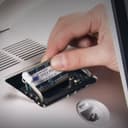
Imac 2019 5k here. 8 Gb out of factory from 2x4 ram sticks. I tend to have a lot of things opened at the same time, but nothing out of the ordinary, a few chrome tabs, a few safari windows , WhatsApp, mail... It was ok with 8Gb but not lighting speed. I was getting the color wheel when trying to open a new tab sometimes. I Wasn't sure how much ram to get from Amazon but the cheapest approach was to do 4x8 since I dont do video editing or anything crazy, I didn't thing anything over 32 would be useful. Install: So they tell you to lay the Mac flat, which I didn't do. I installed the new ram with the iMac vertical: I removed the old old and put the 4 new ones in place I closed the memory compartment and the Mac wouldn't boot a few times I thought I installed them correctly but YOU HAVE TO MAKE SURE EACH IS FULLY, FULLY, FULLY in. A slight off position and your computer won't boot. After trial #3, the Mac booted no problem. Back to were I left when I turned it off prior to ram upgrade. I am now using about 10gb of Ram out of the 32 available but the Mac monitor, with the same apps opened as prior. The difference is night and day when I do something, wether it is a webpage or opening iPhotos or pages, it is just instant. At $150 , it is overall a cheap upgrade given how much money we put in our machines. Super happy with the purchase given the amount of time I spend on the computer, I appreciate the smoothness.
L**L
Installed 2x16gb into my new iMac i7 3.8. Improved performance as expected. Easy to fit I used wrist static leads to avoid static. To maintain best performance I used slots 1 and 3 as recommended. None of the videos on installing memory that I found advised that it can take more than 30 seconds to start to boot up while the new memory is recognised. Amazons price was very competitive for OWC which is rated highly for Mac upgrades
C**E
Instalei num iMac 2020 e está rodando numa boa!
た**ま
iMac2019に装着して快適になりました。
Trustpilot
2 weeks ago
3 weeks ago