

Desertcart purchases this item on your behalf and handles shipping, customs, and support to France.
⚡ Power up your productivity with the HP USB-C Dock G5 — your all-in-one desk command center!
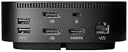
The HP USB-C Dock G5 is a compact, versatile docking station designed for USB-C and Thunderbolt-enabled notebooks. It delivers 100W power delivery, supports up to three external displays (2 DisplayPort + 1 HDMI), and includes Gigabit Ethernet for reliable wired networking. Compatible with a wide range of brands including HP, Dell, Lenovo, and Apple, it streamlines your workspace with a single-cable solution while offering enterprise-grade manageability features like eTag asset tracking and remote firmware updates.

| Brand | HP |
| Color | Black |
| Compatible Devices | Notebook |
| Hardware Interface | DisplayPort, Ethernet, HDMI, USB, USB 3.0, USB Docking Station |
| Item Dimensions L x W x H | 4.8"L x 1.8"W x 4.8"H |
| Item Weight | 676 g |
| Product Dimensions | 4.8"L x 1.8"W x 4.8"H |
| Total USB Ports | 2 |
| Total Usb Ports | 2 |
K**B
Perfect For New HP Laptop
I bought this to go with a new HP laptop based on the low power Intel Core Ultra 7 processor. Laptop physical connection options are limited to two 40 Gbps Thunderbolt 4 ports and a 10Gbps USB-C port. Newer monitors are equipped with USB-C in addition to HDMI or DisplayPort, but I need HDMI for the somewhat older monitor I use with the laptop. I've been using the Dock G5 for almost two weeks now. USB-A ports for older USB devices, the wired Ethernet port, and the HDMI port are all plug and play with no problems. The G5 USB-C port supports high-speed charging to my Android phone. It also replaces the charger that came with the laptop, charging it at the same rate. About the only downside I find is that the laptop is always kept fully charged if I leave it connected to the G5, so I have to disconnect it periodically to cycle the laptop battery. If you are considering purchasing this and expect it to work as a charger, you should make sure your laptop's USB-C port supports Power Delivery and charging, and make sure the power levels are compatible between laptop and Dock G5. Newer, lower-power laptops that support only USB-C and Thunderbolt 4 physical connections are likely to support USB-C charging, while older laptops often will not. To be honest, the Dock G5 is probably overkill for my needs and I could have gotten by with a USB-C hub and some adapters. That said, the Dock G5 is well made and works perfectly with my HP laptop. I'm very happy with it and won't be looking back.
T**N
Compact, powerful, works seamlessly with my EliteBook x360 1030 G4
Bought this for home to use with my work-issued laptop. This dock has 1 more conventional USB port than the one issued to me at the office, so I was able to hook up camera, keyboard/mouse, speakerphone, and headset plus 2x24" monitors via DisplayPort with no problems. Bought this to replace another dock that was under-powered with those USB devices connected. This runs the dual monitors and all of my peripherals with no fuss and no problems. I also tried plugging in my MacBook Pro and was disappointed (but not surprised) to find that it does not support dual external displays for that computer. No matter...would have been a nice bonus but it's perfect for what I need it for. The power button on top is an improved design over previous generations where the entire top panel acts as a power switch. Much less concern about accidentally tapping it and powering down the whole computer unintentionally. It's shorter and has a slightly larger footprint on the desktop than the older ones that are taller and narrower. To me, this one fits better in the space I have. All in all I am very satisfied with this product and I highly recommend it if you are working with a compatible PC.
M**S
Most reliable one so far
I've been through a couple of budget USB C docks on my wife's HP Envy laptop, and they've always been less than reliable. They would require constant power resets, randomly stop driving a monitor, USB audio issues and then complete failure. I finally just spent a bit more got the HP G5, connected it, ran the updates, and it's been rock solid.
B**M
This product is no warranty and not new per official HP support agent.
This product is not covered by the HP warranty. Be careful. I have two Dell 24" monitors that I connect to this G5 docking. Unfortunately, the HDMI port on the docking is not working and is causing one of the monitor screens to flash. I reached out to HP, and they said that I need to return the unit to the seller as this product is not new and no longer under warranty. I bought this unit from this seller in January, and I did not open it until I received my monitors. By the time I installed the docking station, it had already passed the return windows. I tried to reach out to the seller, but no luck.
J**.
Works great - G5
Description says it has 2 x DisplayPorts v1.2 (released in 2010) which according to VESA website must implements 4Kp@60Hz: That is not true. Used VESA Certified HBR2 DisplayPort cables, a BenQ PD2700U monitor and a HP EliteBook 850 G5 (Intel UHD Graphics 620), I couldn't go beyond 1080p@60Hz. Undocked and using the Laptop HDMI 1.4 port goes to its max spec, 4Kp@30Hz, so Monitor and Laptop are not the problem. Called HP Customer Support and their reply was the Docking will not go beyond 2.5K on any port, which I wasn't able to reach. I couldn't find an official written specification of the version, so seems that nobody knows which is actually supported. A shame, I've been using this Docking for years at the office with different Laptops and it is very convenient, but it was always less than 1080p. If you don't need 4K this is an excellent and tough product, in my opinion better than those with the USB-C fragile cable. This is why I give it 3 stars. But I spent $800 extras on the 4K monitors that I am not willing to resign it now. I am returning it.
J**L
Simple setup but most effective with the right machine
I've used this dock with multiple laptops and it works great. My setup involves a Level1Techs 3-monitor/2 PC DisplayPort KVM splitting between this dock and a desktop. A Dell XPS 15 with discrete 4GB graphics was able to drive all three monitors through this with no issues. My Lenovo T14 Gen5 only has the juice to drive two monitors directly and so I have to use an active HDMI adapter for the third. This lesson is this dock won't drive more displays than your graphics adapter has the bandwidth to support. A lot of onboard graphics won't support three monitors through USB-C. Make sure you know what you have before you buy if a three screen setup is your goal.
A**R
Dual 4k Outputs Requires Changing Computer Setting
I bought this to use with an HP EliteBook x360 1040 G8 notebook, which natively supports dual 4k monitors. In the past I have used the HDMI 2.0 output, and a USB-C-to-HDMI-2.0 adapter output for the second display, and never had a problem with dual 4k monitors. I bought this dock in an attempt to lessen the amount of cables needed to plug into the laptop and an older, larger hub, but despite this hub stating dual 4k screens are supported, I could only get 4k on one output, and 1080p on the second output, no matter which combination of HDMI and DP used. It turns out the computer BIOS has a default setting that prevents dual 4k monitor support. In order to achieve 4k on both monitors, you need to enter the BIOS and change a setting. Steps: Turn on or reboot computer, start tapping the Esc key keep until you see a menu (before the Windows starts), then press the F10 key to enter the BIOS setup. Next go to the Advanced tab at the top, and then System Options. Now set the Enable High Resolution mode when connected to a USB-C DP option. Finally, go back a couple screens and choose the option the Save and Reboot. Apparently this will change USB 3.2 ports to USB 2.0, but most people would never notice unless they're using external storage devices or external networking devices that need over 300-400 Mbps (not most people, and the dock's Ethernet should probably be full speed anyway). I'm not sure if it changes the speed of the USB-C ports, so just be on the lookout if you need faster speed for those ports. This is a poor default setting by HP, perhaps caused by a limitation in the Intel chipset. I wish HP were able to detect when a dock is plugged in and then change the default setting appropriately. I hope this helps you!
M**L
Funciona perfectamente
Me gustó mucho, funciona perfectamente para HP y Mac
C**A
Funcional
Fenomenal. Llegó en perfecto estado y funciona bien.
B**N
Tres bien.
Livraison rapide pour connecter 2 écrans sur un seul pc HP. Il n en reste pas moins incroyable que certains vendeurs demandent des sommes folles pour le même produit !
M**Y
Perfect
Works perfectly. So easy to set up.
M**X
ottima dock usb-c
Premetto che desideravo una dock Thunderbolt ma quelle prodotte da HP stranamente non hanno porte hdmi bensì dp..ho dovuto quindi ripiegare su una dock usb-c. Il mio giudizio è temporaneo, l'ho ricevuta pochi giorni fa e non ho provato tutto. Collegata ad un HP Zbook G7, configurata con i suoi drivers. Porta hdmi funziona regolarmente, porta fuori 4k hdr come voluto, tramite scheda video Nvidia del notebook. Porte usb testate con due dischi, un hdd e un ssd (via adattatore sata-usb). Tasto luminoso della dock mette in sospensione il pc collegato, può essere comodo. Alimentatore da 120w è ben dimensionato e carica il notebook se necessario. Ritengo che, in offerta, può essere un ottimo acquisto (il prezzo di Amazon è stato ottimo). Al prezzo proposto da HP avrei dei dubbi.
S**J
Build quality and compatibility
Good product
Trustpilot
1 month ago
3 weeks ago