Desertcart purchases this item on your behalf and handles shipping, customs, and support to France.
๐ Elevate your shipping game with speed, savings, and seamless setup!
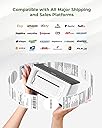
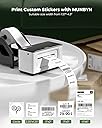
The MUNBYN RealWriter 941 is a high-speed 4x6 thermal label printer delivering 203 DPI resolution at 150mm/s. Compatible with Windows and macOS, it supports major e-commerce platforms like Shopify and Etsy. Featuring inkless printing technology, automatic label detection, and easy USB/Bluetooth connectivity, itโs designed for small businesses and professionals seeking efficient, cost-effective, and reliable label printing.


| ASIN | B07S48NHYS |
| Additional Printer Functions | Print Only |
| B&W Pages per Minute | 72 pages_per_minute |
| Best Sellers Rank | #68,184 in Office Products ( See Top 100 in Office Products ) #140 in Desktop Label Printers |
| Brand | MUNBYN |
| Built-In Media | Labels, Power Adapter, Power Cable, USB Cable |
| Color | White |
| Color Depth | 1 bpp |
| Compatible Devices | Laptops, Mac, PC, Windows |
| Connectivity Technology | USB |
| Control Method | App |
| Controller Type | Android |
| Customer Reviews | 4.5 out of 5 stars 9,024 Reviews |
| Duplex | Automatic |
| Global Trade Identification Number | 00613310860730 |
| Hardware Interface | USB |
| Ink Color | black |
| Item Dimensions D x W x H | 3.8"D x 7.8"W x 4.3"H |
| Item Weight | 1.4 kg |
| Manufacturer | MUNBYN |
| Maximum Copies Per Run | [HIGH NUMBER] |
| Maximum Copy Resolution Black and White | 203 x 203 DPI |
| Maximum Copy Resolution Color | 203 x 203 DPI |
| Maximum Copy Speed Black and White | 27.56 pages_per_minute |
| Maximum Media Size | 4 x 6 inch |
| Maximum Print Resolution Black and White | 203 dots_per_inch |
| Maximum Sheet Capacity | 1000 |
| Maximum print Resolution Color | 203 x DPI |
| Model Name | ITPP941 |
| Model Number | ITPP941 |
| Model Series | RealWriter 941 |
| Number of Drivers | 1 |
| Number of Trays | 1 |
| Other Special Features of the Product | USB Only, Compatible with Windows, MacOS, Thermal Printing, No ink No toner, High-speed Printing, Easy to Setup |
| Paper Size | 4x6, 3x5, 3x2, 3x1, 2x2, 2x1, Circle inches |
| Power Consumption | 60 watts |
| Print media | Labels |
| Printer Connectivity Type | USB |
| Printer Output Type | Monochrome |
| Printer Resolution Horizontal in Black and White | 203 inches |
| Printer Resolution Vertical in Black and White | 203 inches |
| Printer Type | Thermal |
| Printing Technology | Thermal |
| Processor Count | 1 |
| Resolution | 203 x 203 DPI |
| Scanner Type | Portable |
| Series Number | 941 |
| Special Feature | USB Only, Compatible with Windows, MacOS, Thermal Printing, No ink No toner, High-speed Printing, Easy to Setup Special Feature USB Only, Compatible with Windows, MacOS, Thermal Printing, No ink No toner, High-speed Printing, Easy to Setup See more |
| Specific Uses For Product | Home, Office, small business |
| Total USB 2.0 Ports | 1 |
| UPC | 613310860730 |
| Unit Count | 1 Count |
| Warranty Type | Lifetime |
| Wattage | 60 watts |
L**A
Excellent printer
I have had this printer for more than a year now and use it almost daily for my shipping labels. I used to print my labels on regular paper and have to cover the entire label with clear shipping tape to ensure the ink didnt get destroyed in the elements. A waste of supplies and unprofessional looking so I researched thermal printers and chose munbyn and I'm glad I did. It had been easy to set up, use and has been very reliable. Today, I started having a problem getting it to print so I contacted tech support. My call was answered immediately by an actual person! No waiting on hold and pressing multiple prompts to get the help I needed. I spoke to a very kind tech support agent, Thirdy, who helped me troubleshoot and resolve my issue quickly. I'm happy to say it was complete user error and not an issue with the printer itself. I shuffled around my desk the other day, unplugged and moved all my printers, computer, lamps etc. In the process, I used the wrong cable to reconnect my munbyn. It gace it power but didn't print full sheets because it wasnt the right cable. While I was trouble shooting on my own, i removed my printer from list of printers on my PC and Thirdy helped me add my munbyn back as an available printer. All in all, our call lasted maybe 20 minutes, allowing me to quickly get back to work. I know there are bigger brand name printers, i researched them, both online and by asking those i know use them how satisfied they were and they all had already had to replace their more expensive thermal printers within a years time. That made me decide on my munbyn which is at a lower price point and now I can say, after well over a year of heavy use, my little munbyn is still printing excellent, clear labels and working as well as the day I bought it. If you read my whole lengthy review... that tells me you are doing your research. I say, don't sleep on the less expensive munbyn. It is excellent and a good investment!
T**A
Huge money saver No Ink needed
Most valuable piece of office equipment I have in my office. We use it daily and it produces great labels of all sizes. Keep in mind when you are changing your label sizes. You also have to change it on Amazon or eBay printing option also. But one you change your preferred settings on both your computer and platform, you good to go. Its very Easy to set up my Dell installed it right away and in 10 mins I was making labels of all sizes. Before I got this label maker, I felt like I should have invested stock in the ink market. Know the staples lady that knows me well said " No ink today". I smiled and said I bought a new Munbyn Thermal printer for my labels and it doesn't need ink. The quality of the machine and the print quality is top notch. I wish I would have made the switch from inkjet to thermal print 2 years ago. But keep in mind there are hundreds of machines on the market. But if you want something with high quality, Easy to install, No headaches, Munbyn Thermal printer is the way to go. It uses standard size labels and GUESS what gave me a gift in the box for either extra labels or a label holder. It was very nice of them to give me a customer appreciation Gift. Thanks Munbyn.
S**H
Great product but definitely read the reviews to set yourself up for sucess
I just started a small e-commerce business and got tired of wasting paper printing the labels and using a bunch of tapes. Then I found out about thermal printers and wasted no time in grabbing one. I saw that this one had one of the most reviews and had high ratings and decided to give it a try - and in addition it was eligible for free overnight shipping which was a huge plus. I got the next morning and the set up was easy. However, note that they only provide a few shipping labels for free so you will need to buy your own stack. After set up, I began printing my shipping labels and noticed that the labels were either getting cut off or tilted. I read from other reviews and found out you needed to screen snipe the shipping label, open it in Adobe Acrobat Pro and adjust the settings there. Make sure it is adjusted to 4x6. However, even after all that the photos were still tilted and getting cut off. So I contacted customer support via Whatsapp, and got assisted super quickly. Bridy, explained that I needed to load a minimum of 4 shipping labels into the printer and recalibrate the thermal printer so that it can learn the size of the shipping label. And after recalibrating the printer, it worked perfectly! In short, it's definitely better than using a regular printer but you still need to add in a few extra steps to ensure the labels are printed correctly.
J**N
Fast and clear printing. Great tech support.
I bought this printer for printing shipping labels. Super easy to set up, just plug it in and download the drivers. There are only beeping sounds when you turn the printer on or when you press a physical button, so it isn't going to beep after each printing like some other printers. Prints quietly with fast and clear images. Good for printing both shipping labels and just labels for around the house and office. It's also compact and rather cute on my desk. I emailed their customer support to see if there was any way to turn off the beeping entirely (my dog as a weird fear of beeping noises). They said there's no way to turn off the beep sound. They were very kind and returned my emails quickly. While the beep can't be turned off, I really do like this printer and will be keeping it. I'll just play some music when I turn it on or change the paper lol.
H**Y
Very helpful company and the team.
I bought this printer thought makes my printing shipping easy but I was wrong I thought for the price I get a wireless but this one need to plug in your computer and need to download app. But if you made a mistake will put you on the dangerous website so be careful what you download in your computer. I hope I can return it and bought the wireless one. But since I bought it last prime day and just open now. Its my biggest mistake. For the price I will find something else. Or get a wireless one.. But it's really nice printer I just don't like I need to plug this on my computer. Just not for me. UPDATE. I contacted munbyn and they are very helpful. Im so thankful for them to accept my return and exchange it to a wireless munbyn even my return time is done. They are very helpful and nice to make sure im happy with my munbyn printer. And now Its easy for me to use it and set it up. I love it. Thank you.
A**R
Unmet Expectations: MUNBYN Shipping Label Printer Fails to Deliver on its Promises
In the bustling world of e-commerce and logistics, a reliable shipping label printer is not just a tool, but a lifeline. The ease of printing, the clarity of labels, and the speed of operation can drastically impact the efficiency of any business operation. So, when I decided to integrate the MUNBYN Shipping Label Printer P941 into my operations, my expectations were tethered to its claims of convenience and high performance. Regrettably, the experience was marked by a series of disappointments, compelling me to pen this 1-star review. Diving into the world of label printing, one anticipates a device that complements the pace of a fast-moving business environment. Every printed label is a testament to a brand's professionalism and efficiency. Unfortunately, the MUNBYN P941 frequently seemed more an obstacle than an asset. ๐ Connectivity was my first stumbling block. While the printer claimed seamless USB connections, the reality was a series of unrecognized devices, frequent disconnections, and tedious reconfigurations. For a device that is supposed to streamline operations, these constant technical hiccups were a significant setback. ๐จ The printer's software, designed to instantly convert 8x11 labels to the more standard 4x6, was another sore point. Instead of the promised instantaneous conversions, I found myself wrestling with misalignments, incorrect scaling, and sometimes, entirely blank labels. This software, which should have been the printer's piรจce de rรฉsistance, turned out to be its Achilles heel. ๐ฆ Printing speed and quality, critical for any business, were far from satisfactory. Delays in print commands, coupled with smudged or unclear labels, made the process cumbersome. Instead of facilitating quicker shipments, I found myself allocating additional time just for label corrections and reprints. ๐ Durability and build quality raised further concerns. The printer felt flimsy, and with just a few weeks of usage, I noticed signs of wear, questioning its longevity and reliability in a demanding business environment. ๐ฝ Perhaps the most confounding issue was the lack of comprehensive customer support. When faced with challenges, accessible and knowledgeable support can make all the difference. With MUNBYN, my pleas for assistance often met with generic solutions or prolonged wait times, further exacerbating my frustrations. In summation, the MUNBYN Shipping Label Printer P941, instead of being a beacon of efficiency, emerged as a source of constant challenges. From software glitches to hardware shortcomings, it failed to align with the needs of a dynamic business ecosystem. For those in the e-commerce sector or any enterprise requiring regular label printing, I'd advise treading with caution. This printer, with its myriad issues, may not be the solution you're seeking. My journey with MUNBYN was riddled with obstacles, and I hope this review provides clarity for those considering this product. Always prioritize thorough research and user reviews before making an investment in critical business tools.
S**M
My Most Cost Saving Purchase on Amazon
This purchase is my most cost saving purchase on Amazon. I bought it back in August, 2022 and the printer is still running strong with no issues in July, 2024. I print out USPS labels regularly and once I found instructions to print them from PDF's it's been smooth sailing. This thermal printer saves me so much on cost as I don't have to pay for ink or expensive inkjet/laser printer labels. I just have to purchase a roll of thermal labels and they come in a big roll that lasts a long time for me. I finally got rid of my laser printer as I no longer use it anymore due to my purchase of this printer and later, a letter page size thermal printer that I use when I rarely need to print a full page. I highly recommend it for anyone that needs to print USPS, UPS or the other mailing companies labels on a regular basis.
M**G
Great Printer... But incorrect labels included
This is a great label printer! I sell items online as more of a hobby than a business. It is very convenient that the printer is so compact, easy to set up, easy to put away when not in use, prints instantly, and the best part is not neededing ink or toner! The print quality is not quite as dark & crisp as I would love, but overall, it is an excellent value for the price. The only issue I had was, the included starter labels (that I didn't even know were going to be included) were not thermal labels. I was getting mad at first, thinking that the printer wasn't working. Thankfully, I had also ordered thermal labels prior to receiving the printer, and I decided I would first try those before sending back the printer. They ended up pairing wonderfully! So, FYI to any buyers who try to print with the 'starter labels', or any other shipping label, and not getting results.... Make sure you are using actual THERMAL LABELS.
A**.
Essential Tool for Every Amazon Seller - Fast, Reliable, and Easy to Use!
As an Amazon seller who prints shipping labels every day, this label printer has been an absolute lifesaver! Iโve used several printers in the past, but this one has exceeded my expectations in every way. Pros: โข Super Fast Printing: This printer heats up quickly and churns out shipping labels at lightning speed. I can print dozens of labels in just a few minutes, which is a huge time-saver when Iโm processing multiple orders each day. โข No Ink or Toner Needed: I love that it uses thermal printing technology. I never have to worry about buying ink or toner, which cuts down on operating costs and is super convenient. The print quality is sharp and clear every time, with barcodes that scan perfectly. โข Easy Setup: The setup was effortless. It came with clear instructions and the software installed quickly on my laptop. I was up and running within 15 minutes, and Iโve had zero issues since. Cons: โข The way you place paper: Youโll need to make sure you have a good position for your paper and cables, or your thermal paper may not align correctly. Overall, I couldnโt be happier with this shipping label printer. As a daily user, it has streamlined my packing process and made shipping a breeze. If youโre an online seller needing to print many shipping labels, this printer will save you time, money, and frustration. Highly recommend!
S**C
Easy to install
Easy to install and customised to different waybills and manifests.
J**N
Buen producto
Buen producto
L**N
Really good, saves so much money!
So great! Only thing I have noticed is that the ink fades after a while when printing stickers.
R**E
Incredible label printer ! never let me down!
I recently had the pleasure of using the Munbyn Label Printer, and I must say, it exceeded my expectations in every way. This device truly deserves a 5-star rating for its exceptional performance and efficiency. First and foremost, the Munbyn Label Printer's ease of use is commendable. Setting it up was a breeze, thanks to the clear and concise instructions provided. Within minutes, I was able to connect it to my computer and start printing labels effortlessly. The user-friendly interface made navigating through the printer's features a seamless experience. The print quality of the Munbyn Label Printer is outstanding. The labels it produces are crisp, clear, and professional-looking. Whether I needed to print shipping labels, barcodes, or product labels, this printer consistently delivered impeccable results. The precision and accuracy of the prints were truly impressive. One of the standout features of the Munbyn Label Printer is its speed. It efficiently prints labels at an impressive rate, saving me valuable time and increasing my productivity. Even when handling large batches of labels, the printer maintained its swift performance without compromising on quality. Durability is another aspect where the Munbyn Label Printer shines. Its sturdy build and high-quality materials ensure that it can withstand the demands of a busy work environment. I appreciate the reliability of this printer, as it consistently performs without any hiccups or malfunctions. Furthermore, the Munbyn Label Printer offers excellent connectivity options. With its compatibility with various devices and operating systems, I found it incredibly versatile. Whether I needed to print labels from my computer, smartphone, or tablet, this printer seamlessly integrated with all my devices. Lastly, I must mention the exceptional customer support provided by Munbyn. Their team was prompt, knowledgeable, and eager to assist with any queries or concerns I had. Their dedication to ensuring customer satisfaction further solidifies the Munbyn Label Printer as a top-notch product. In conclusion, the Munbyn Label Printer is a remarkable device that deserves its 5-star rating. Its ease of use, exceptional print quality, impressive speed, durability, and versatile connectivity options make it an invaluable tool for any business or individual in need of reliable label printing. I highly recommend the Munbyn Label Printer for its outstanding performance and efficiency.
Trustpilot
2 days ago
1 month ago