

🚀 Elevate your office game with speed, smarts, and seamless wireless printing!
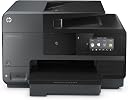
The HP OfficeJet Pro 8620 is a robust all-in-one inkjet printer designed for small to medium offices, delivering fast print speeds up to 34 ppm (B&W) and 17 ppm (color) with 1200 dpi resolution. It supports wireless and NFC printing, automatic duplexing, and a 500-sheet paper capacity, making it a versatile, cost-efficient choice for professionals seeking reliable multi-function performance. While praised for connectivity and ink cost savings, some users report occasional wireless instability and average photo print quality.


| ASIN | B00J8NBVYE |
| Additional Printer Functions | All In One |
| B&W Pages per Minute | 34 ppm |
| Best Sellers Rank | #172,429 in Office Products ( See Top 100 in Office Products ) #1,159 in Computer Printers #5,901 in Inkjet Printer Ink Cartridges |
| Brand | HP |
| Built-In Media | Printer, USB Cable |
| Color | Black |
| Color Pages per Minute | 17 ppm |
| Compatible Devices | Smartphones |
| Connectivity Technology | USB |
| Control Method | Voice |
| Controller Type | Amazon Alexa, Vera |
| Customer Reviews | 3.7 out of 5 stars 1,692 Reviews |
| Display Type | LCD |
| Dual-sided printing | Yes |
| Duplex | Automatic |
| Global Trade Identification Number | 00888182021514 |
| Hardware Interface | Ethernet, USB 2.0 |
| Ink Color | Black |
| Item Dimensions D x W x H | 12.4"D x 19.7"W x 18.5"H |
| Item Weight | 28.62 Pounds |
| Manufacturer | HP |
| Maximum Copy Resolution Black and White | 1200 dpi |
| Maximum Copy Resolution Color | 1200 dpi |
| Maximum Copy Speed Black and White | 34 ppm |
| Maximum Media Size | 8.5 x 14 inch |
| Maximum Print Resolution Black and White | 1200 dpi |
| Maximum Sheet Capacity | 500 |
| Maximum print Resolution Color | 1200 dpi |
| Model Name | 8620 |
| Model Number | 8620 |
| Model Series | OfficeJet Pro |
| Number of Trays | 2 |
| Other Special Features of the Product | Auto Document Feeder |
| Output sheet capacity | 150 |
| Paper Size | 3 inch x 5 Inches, 4 inch x 6 Inches, 5 inch x 7 Inches, 5 inch x 8 Inches, 8 inch x 10 Inches |
| Print media | Envelopes, Paper (plain) |
| Printer Connectivity Type | USB |
| Printer Output Type | Color |
| Printer Type | Inkjet |
| Printing Technology | Inkjet |
| Processor Count | 1 |
| Resolution | 1200 |
| Scanner Type | document |
| Series Number | 765 |
| Special Feature | Auto Document Feeder |
| Specific Uses For Product | Office |
| Total USB 2.0 Ports | 1 |
| Total Usb Ports | 2 |
| UPC | 012306239299 888182021620 809394433858 888182021521 638084646212 888182021514 807320199991 804993452576 823019603440 663414218906 642125166645 014445150268 048001708662 044111253795 |
| Warranty Description | One-year limited hardware warranty; 24-hour, 7 days a week limited support |
| Warranty Type | Extended warranty |
| Wattage | 35 watts |
E**N
This is a great printer for a small, and not so small, office or home/office
This is a great printer for a small, and not so small, office or home/office. Now, to be clear I'm a fan of HP printers. I've owned several over the years, using them in a real estate business for everything from flyers to legal documents. In each case the printers outlasted the other electronics (computers, cameras, etc.) purchased and used at the same time. I had very high hopes for this all-in-one based on stellar reviews. I've had mine now for only a short time but I'm already seeing the limitations of this generally very functional office printer. I usually write long reviews, but here I'll try to be brief and hit the pros and cons of HP's 8620. OVERALL; it's a more than capable printer and I'm happy enough with my purchase to keep it. Part of my decision to keep it, rather than opt for a competing product like the Epson WorkForce 3640, is that I've decided to go with long-term reliability over a more sensational print quality or lower price - the latter two (higher quality printing and lower purchase price) I associate with the Epson. I almost pulled the trigger on the Epson 3640 as it seems to address the weaknesses of the HP 8620, but I opted for the HP due to Epson's know issues with wasting expensive ink cartridges and frequent printer head clogs. The HP was nearly twice the price of the Epson ($225 vs $125) - yet I was worried that long-term cost of Epson ink would quickly offset Epson's lower purchase price. PROS: Functionality is high on this HP printer! The wireless printing has been flawless. Both remote e-printing and wireless printing from my Sony laptop, Asus tablet and Samsung Note 3 smartphone have been excellent. The same applies to scanning and copying. I haven't used it as a fax, but it appears from the 3.5 LCD and printing prompts that printing can be done as an efax... So again, funtionality as an all-in-one could not be better. Cost and reliability of ink and print mechanisms is also very good - maybe even excellent. When comparing ink cartridge pricing with Epson, the cost per page were anecdotally about half the cost! Then given HP's high reviews on ink replacement and general printer reliability, I had to go with HP over Epson. So, low print cost and reliability = win for HP. Clogging and frequent refilling of ink = fail for Epson (even though Epson's overall print quality is superior). Print, scan and copy speeds are also very good. Excluding wireless printing from tablets and smartphones (which both print quite slowly), the standard print, copy, scan functions are fast! Print quality is where the tide starts to turn somewhat. I've had other HP printers in the past that used older technology (I assume) but printed more eye-popping color. The overall quality is good, especially with text. But the quality of photos and graphics is okay, and honestly, I was hoping for better. So, print quality of the HP is a mixed bag of mostly good, but not great. CONS: Print quality is only good. That may seem unfair to list this as a "con." But in fairness, print quality is such a key feature of printer ratings that "good" is just okay. Again, I've decided to trade great (Epson) for good (HP) due to other considerations already mentioned. And while totally acceptable, I was a little disappointed that the quality of the HP 8620 printing wasn't "great" based on many of the reviews I read. Another negative, and frankly a disappointment, is that HP has opted for a type of dedicated paper tray that doesn't allow for manual feeding (at least not easily) of different print stocks. So, if you want to switch to photo paper, cardstock or envelopes, you have to clunkily remove the entire paper tray and paper, then replace them with whatever stock you plan on trying to print on. This is just impractical for an all-in-one that's supposed to cater to small to moderate sized business. The Epson WorkForce by comparison allows you to feed different media/stock through a bypass tray. I almost returned the HP 8620 for this reason alone. A very minor and final negative of the HP 8620 is that it is BIG. It just seems like HP could have either trimmed down the footprint/size, or at least easily added a bypass tray, because of the size of this thing! When you open the front panel there is room to spare - so it just makes this printer seem unnecessarily large. That said, it does fit on the same desk as my laptop with external keyboard, additional monitors and stereo speakers. So while not a deal-breaker by any means, the larger size ends up being just a minor negative. MY CONCLUSION; is that the biggest weakness of this HP is the graphic and photo print quality. The quality is not bad, and you could even say it's good. It's just not great - which I wish it was. But I'm unwilling to deal with Epson's known print head clogging issues and need to constantly be replacing ink cartridges. HP is a very solid choice for overall performance and functionality. I'll be back with an update after a few months of use to see if any of my initial thoughts have changed.
L**B
HP OfficeJet 8620 is UNRELIABLE JUNK
UPDATE#3: Okay the second printer is just under 5 months old and... we got the dreaded "printhead appears to be missing error. Ran through HP's insane trouble shooting routine 3 times as they direct and it still doesn't work. Out of desperation I replace all the print cartridges ($75 worth) and it still doesn't work. Let the fun begin and call HP Support. By this time I have spent at least 6 hours trying to make this hunk of crap work and have had the unit exchanged once. Right from the start the only way I could get this "wireless" printer to work was by connecting an Ethernet cable to it! And even then it would randomly lose connectivity and need to be rebooted. Now the printhead error. By the way there is class action lawsuit going for this issue already. Too late for Amazon to offer support and HP won't give a refund because I bought it from Amazon. HP wants to send me a 3rd unit. Are you kidding me, the first 2 never worked as advertised and now a fatal error on the 3rd before the first ink cartridges have been used up. It's just sad, HP was such a great company. It only took 15 years of bad leadership to kill it. RIP Hewlett Packard. UPDATE #2: We are on our second printer and the wireless communication problems continue. Forget getting any meaningful support from HP. These guys just keep running in the repair loop. I have been reading that more people are having the same problem too. Best guess now is the WiFi on board can't deal with dual band routers. Even if the high frequency channel has a different SSID. We really should return this hunk of crap but one last attempt for a work around; we"ll try to use it connected via Ethernet only. Nothing like paying for non-existent capabilities! UPDATE: We can't take it anymore, this unit is being returned for an exchange. Based on all the good reviews I'm hopeful we just got a lemon, we'll see. I love Amazon, making the exchange is an easy process. New printer should be here is a couple of days. ORIGINAL REVIEW: I can't tell you how disappointing this printer is. I'm a former employee of HP and still work for Keysight Technologies, the original HP test and measurement business. Not to long ago HP made the highest quality products in the world but sadly those days are gone. For whatever reason I still felt some dedication to the HP brand but this printer has cured me of that. Right out of the box this thing was trouble. I followed what little instructions came with it but then couldn't get it to scan from any of our PCs. Even though I could see the printer on my PCs, when trying to scan I would get an error indicating that the printer lost communication with the PC. After an hour of troubleshooting I decided to call HP. That was an adventure in it self. They don't want you to call, it seems as if they are going out of their way to NOT provide a phone number. If you wander around the website long enough you'll finally find a method to get in line to have a Rep call you back. The call back came pretty promptly but of course the service Rep had such a heavy Indian accent I could barely tell what he was saying. The service Rep stayed on the phone with me for over 2 hours, I give him credit for working hard. Unfortunately some of the gibberish that was said made no sense and demonstrated that HP is willing to try and BS their customers into believing things like Windows 7 might be the problem, but NOT their printer. The tech even suggested the problem was the Windows firewall and I should turn it off. Ultimately it seemed as if the biggest but not only problem with this big black brick is that you can't connect it to your network with the USB cable and use the wireless connection at the same time. So after 3 hours of torture I removed the USB cable and we got the printer to work most of the time. Since then the printer bombs out about 25% of the time and we have to either cycle the power or the wifi connection on the printer to get it connected to our PCs. I will say when it is working the print quality is very good but over all STAY AWAY FROM THIS HUNK OF CRAP!!
B**R
I highly recommend using HP brand ink in these printers because HP ...
I purchased this HP OfficeJet Pro 8620 for my office after my previous OfficeJet 8500 printer had died on me and was non fixable. As an A+ certified computer technician who has owned my computer repair business for nearly 18 years, I am a solid believer in HP's printers. Some are lemons, especially the cheaper printers, but again you do get what you pay for. But I have learned over time the more expensive Officejet and LaserJet models are really rock solid printers that will last for quite some time. This OfficeJet 8620 is in my office doing multiple jobs daily. I have it setup as a wireless printer on our network with a static IP address so that any computer in any room can print effortlessly to it. The second main use is that I scan documents to a shared folder on my Windows 2008 server. I setup network scanning by logging into the IP address of the printer and entering the username and password that is on the Windows server network share. Immediately the HP OfficeJet picked up the network connection and connected to it without an issue. The third main use for this printer is simply doing black and white as well as color copying. I've made sure to get the XL cartridges that do have a bit more ink in them than the standard cartridges, even though they do cost a bit more at retail outlets. I highly recommend using HP brand ink in these printers because HP is programming the printers to look for refilled or after market cartridges and prevent the printer from using those if those are detected. It is a risk to run unknown ink through a printer because it will void the warranty of a printer and it can cause damage to the print heads and internal compnents if the cartridges leak. The ease of setting up this printer on my network compared to Brother, Epson, or any other name brand literally is a piece of cake because it's so easy! As a technician I'm very experienced in setting up network printers, whether they are wifi or ethernet (this printer has both types of network connections) and brands such as Epsom and Brother are absolutely HORRIBLE at connecting to the network. Especially a wifi network. They involve multiple steps that many times, don't work until the 3rd or 4th try. HP is fantastic and simply has got the setup process perfected. You can use the onscreen method for wifi setup or the software has built in detection. None of the other brands have this and their methods usually involve several PC reboots, connecting and reconnecting of a temporary usb cable from the printer to the pc.
M**L
I'm almost in love with this multi-tasking behemoth.
I haven't had a good solid scanner/printer in years but I wanted to get one to address my over-flowing loose paper needs. I decided it was time to look into a combo device that could accomplish the following things in order of IMPORTANCE: 1) Have an Auto Document Feeder (ADF) that can enable scanning of lots of documents rapidly at a time (at least 25-page ADF) 2) Duplex functionality mainly for scanning, less so for copying/printing 3) Scan and print wirelessly. So you can see here the key word here is SCAN because I want to reduce the amount of papers I have lying around and start transitioning over to digital filing. In any case, I examined many products that seemed to fit this criteria but ultimately settled on the HP OfficeJet 8620. It was the only one that seemed to address the above needs without any obvious deficiencies in any of those functions. More importantly, the description of this product seemed to me to be the most clear about its duplex functionality. I also owned HP printers and scanners in the past and don't have any serious issues with the quality of HP products unlike some people. And in comparing it to the Canon MF229dw, the 8620 seemed to have fewer issues with wireless printing and was easier to set-up, which was also important to me. So this seemed to be the obvious pick for me. Overall I'm super pleased with this machine. I don't mind the size, I love it actually. The set-up was fantastic, I love the little animated videos that show you how and where to install paper and ink. By the way, the display screen on this thing is awesome, colorful and clear, and again has that user-friendly HP touch that I appreciate so much. Setting up the machine for wireless functionality is a breeze and makes total sense. Just connect it to your wifi network and you are good to go, or you can set it up for a wired connection and have your computers and mobile devices connect to it that way. The menu navigation and options, all of it is just top quality and easy to use. I love the look and feel of this thing. But how does the quality of the scanning and printing stack up? That's what I'm all about. Unfortunately, this is where I start seeing some blemishes. If we are talking standard printing options, like File > Print, then printing is super fast and pretty near flawless as long as you keep it one-sided. The colors are bold and the text is sharp and easy to read. However, scanning and copying through the ADF and taking advantage of duplex functions is a little disappointing. The ADF sometimes sucks in more than one page at a time; I've already witnessed several paper jams because of this, although the more I use it though the more I think it's improving. Still, it's pretty jarring to see that happen with a brand new shiny device within moments of setting it up. Additionally, the duplex function is OKAY, it's not bad, but it's not great either and has jammed up several times too. Still though, I love that I have it and will save tons of time scanning all my stacks of paper. My biggest gripe with the ADF is that the paper does not go into the ADF feeder straight. As such, scans and copies are slightly tilted and display a clear diagonal black line at the bottom of every page indicating that the page was crooked when it went into the machine. Happens every time. Do some research on this issue and you will quickly realize that HPs suffer from this ADF problem quite a bit. HP tech support does recommend cleaning the ADF roller to sort out the issue but it's a brand new machine for crying out loud! I shouldn't have to clean it, and because I see similar complaints about this very issue from other consumers, I suspect that this is a persistent problem with HP's line of printer copier scanners. This is not necessarily a big deal breaker for me though; because I'm only scanning mainly to keep backups of things, I don't mind this tilt too much or the black line showing up at the bottom of the page. If I really need to scan or copy something very important then I will just resort to the flatbed scanner on top of the machine which works just fine. But if you are a big-time office professional that relies on producing near-perfect scans at reasonable speeds then the ADF in this product might disappoint you. You have been notified in advanced. With some adjustments though, I have been able to mitigate a lot of these issues, and when it's running smoothly, the 8260 is a pretty fantastic machine worthy of 4 stars. Stick to using thin paper and the paper jams through the ADF should go down. Also, fan out the papers a bit to ensure that they are not sticking too much to each other. This should also prevent the ADF from pulling in more than one page at a time. Once you manage to get it running smoothly then the 8260 is perfect for accomplishing many basic office tasks.
D**.
A Lot of Research Done Before My Purchase
Any time I make a big purchase, there is a lot of research involved. I looked at printers ranging from Epson to Canon. During my research I also read the reviews on Amazon about this printer. Even with one person giving it 1 star, I made the purchase anyway and I must say, I am glad that I did! It works wonderfully. It prints fast and the scanned documents looks better than any scan documents I've ever seen. I can scan documents, images, etc... from my phone. I can also access Dropbox or other cloud sites from my phone and print anything in there. The printer also comes with an email address that you can customize. You send emails, photos, or documents to that email address and it will automatically print them for you and they will be waiting for you when you get home. I love that! Scanning was the main reason for the purchase, but I got a lot more than I expected. I cannot tell you anything about the faxing feature. I have not nor will I use it in the near future. I will admit, the printer is bigger than I thought, but I can live with that. Oh and as for the person who gave it "one star", I believe that is a "troll" post, which is used to upset or deter people from purchasing this. Not to mention, if all of those things happened (which I find VERY hard to believe), there were much bigger issues than the printer! If you are looking for a printer, this is the one to have! **Edited on Aug 21, 2014** I still love the printer very much, but the purpose of this edit is to comment on the other three people who gave it a 1 Star rating. The one written on July 23, 2014 by Kenneth J. Flanagan leaves me clueless. He says the printer craps out, but that tells me absolutely nothing. I also don't understand his comment regarding the LED. When it goes to sleep, I just leaves a small little light on to let you know that it is still operable and in sleep mode. There is no validity to his review. I think this is another troll post. Not to mention, this is the only review that he's written on Amazon. The post written on August 19, 2014 by Sue E Lucas makes no sense to me. She is another who only wrote one review and I feel this is also a troll post. She contradicts herself. She claims to have been a HP customer for many years, but in the next paragraph, she says she was cautious in making the purchase. I could be wrong, but I cannot see a person in customer service, from a reputable company, tell a customer that she sounds like a whinny woman. Then she went on to say the representative said, "you sound like the kind of guy that would complain if your neighbor cut his grass and cut a little of yours." I have dealt with their customer service and I don't believe this happened. Not to mention, the calls are recorded. This is another review with no validity. The last review that I am going to comment on is the one written on August 13, 2014 by James Hochstadt. He is not afraid to give a five star review as he did with another item. His review may have some validity to it, but I cannot verify this claim because I do not use the heavy paper. I have read something similar before. He mentioned that was why they had a class action lawsuit. The only class action lawsuit that I have seen was regarding an issue with the printer staying connected via WiFi. I have not had this problem. It could be that they updated the software, which is done regularly. I hope this additional information was helpful.
F**3
These are GREAT printers!
During certain times of year we print up to 2,200 PAGES PER DAY so we needed an office printer that will be fast and economical as well as reliable. This printer does it all. SPEED: we have had several other laser printers and inkjects and the 8620 definitely prints fast enough for our needs. Manufacturer's claims of 21 ppm are definitely true. RELIABILITY; So far the printer printed somewhere around 70,000 pages ( my best guess ) and aside from occasional paper jam, we have had no issues. Print quality is good. ECONOMY of USE: Yes, we do use generic cartridges because we do relatively high volume printing. The remanufactured cartridges actually last longer than what HP Specs state on this page. We print mainly copies of incoming orders, the orders would have small image of the product ordered and text pertaining to the order. So I would say such page is just right for the spec'd out print coverage. So far we are seeing lowest cost per page printed compared to other printers we have ( Canon, HP, Xerox both inkjet and laser ) BY FAR! The only thing that I consider a negative on this printer is the fact that HP builds in a NAG when it detects non genuine cartridges, so you need to click OK when reloading new cartridge. Also at times, I suspect it is another HP designed thing : if you run out of ink on one color cartridges ( again we use generics ) and have to replace it, the printer suddenly wants the remaining two color cartridges replaced. I think it is HP's wicked way to try to discourage customers from using generic inks. I wish HP start pricing their inks competitively instead of playing these games.
J**L
Poor documentation, poor tech support, terrible OCR text recognition, basic features missing
Update: Does not include modern OCR scan to searchable pdf function. It give you the ability to scan a page to pdf OR rtf. The rtf software jumbles characters and cannot recognize all text on page even if all text is same format and size. I still have to use a different scanner to scan to pdf. You ask a question like how to change default settings for folder scan, and instead of an answer, they demand to remote access into your computer. You tell them no, and they demand the ip address of the printer. After repeated times asking the same question, I never got an answer for this from tech support. My older HP printer had everything outlined in the user manual. What wasn't outlined was obvious. No features were left to guess about how to change or adjust. This printer leaves a lot of questions unanswered. For example, I had to contact their tech support to find out that the printers wifi will not connect to a 5ghz only wifi network. Their tech support did not know how to change the default folder that scans go to when you scan to PC or Mac from the printer (you're at printer, click scan to....computer....computer-name...pdf...send (change the default folder this process scans to from Documents on Mac or My Documents on PC to somewhere else as default)). They didn't even know what the default folder was. Limited OCR options. My older printer had scan to searchable pdf with multiple pdf type options. This one has only scan to pdf, or scan to .rtf searchable text. ******No scan to searchable pdf.******** This is an upgrade from a still working 9 year old HP 5610 All in one. The one star is for building printers that last (HP 5610) and for the printers basic functions working (HP 8620)). Losing the other 4 stars was due to newer printers with less customization and tech support that doesn't know their own printers. Tech support does not speak or understand english well. I've had so much of a problem with HP tech support (Aden) that I am considering sending this printer back for a refund. My old printer still works, I just wanted a newer printer with duplex printing and network capabilities. UPDATE: 4 May 2015 Scan bed stopped working LCD Screen stopped working Power button non-responsive (light on but pushing it or holding it didn't do anything) Had to unplug machine. After plugging back in and restarting, It kept getting stuck at "preparing to scan" while trying to scan pages via scan bed. I had to do a factory reset to get my work finished. Update: 26 May This printer has major problems handing multiple computers. When I turn the printer off (still plugged in) , and back on to try to get past another problem, I had to manually reconnect all the mac computers to the printer. If a windows computer has a cancelled print job (scenario was with 1 page), it takes almost 30min for the printer to get unstuck so other connected computers can print. In the meantime, the screen has a small message at the top saying "printing" even though it's not doing anything. All other computers say "printer in use." Not surprised to see this printer now on sell at local office stores for less than amazons price. I expect this printers about to be discontinued.
D**E
Flexible printer, but unreliable and prone to problems
This printer fills many needs in a home office, and when it works properly it prints beautiful pages in full color, at a decent speed. However, it is plagued by technical issues. It loses the network connection on a regular basis. It pauses for a LONG time just before completing a document file. The printer head gets clogged regularly, resulting in streaking or blank pages. Sometimes a file sent to it won't print at all, despite Windows confirming that it printed. In other words, this is a great product with some serious reliability issues. If you can deal with the reliability problems, then the printer is a great value for the variety of tasks it can complete and the quality of the color printing.
Trustpilot
4 days ago
2 days ago