Desertcart purchases this item on your behalf and handles shipping, customs, and support to France.
🎧 Elevate your studio game—record, mix, and dominate every session with Tascam US-16x08!
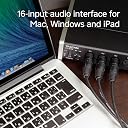
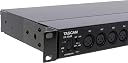
The Tascam US-16x08 is a professional rackmount USB audio/MIDI interface offering 16 inputs (8 XLR mic/line and 8 1/4" line), 8 balanced outputs, and advanced DSP mixing with EQ and compression. Designed for high-fidelity multi-track recording, it delivers ultra-low noise HDDA preamps with up to 56dB gain and supports up to 96kHz sample rate, making it ideal for complex recording setups and live monitoring on Windows PCs.


| ASIN | B00MIXF200 |
| Audio Input | USB |
| Best Sellers Rank | #26,829 in Musical Instruments ( See Top 100 in Musical Instruments ) #160 in Computer Recording Audio Interfaces |
| Brand | Tascam |
| Brand Name | Tascam |
| Compatible Devices | Personal Computer |
| Connectivity Technology | USB |
| Customer Reviews | 4.4 out of 5 stars 563 Reviews |
| Global Trade Identification Number | 00043774031177 |
| Item Dimensions D x W x H | 11.34"D x 22.09"W x 5.04"H |
| Item Type Name | US-16x08 |
| Item Weight | 6.1 pounds |
| Manufacturer | Tascam |
| Manufacturer Part Number | US-16x08 |
| Maximum Sample Rate | 96 KHz |
| Model Number | US-16x08 |
| Number of Channels | 16 |
| Operating System | Windows |
| Product Dimensions | 11.34"D x 22.09"W x 5.04"H |
| UPC | 043774031177 |
| Unit Count | 1 Count |
| Warranty Description | 90 days labor. |
H**R
Excellent Unit
My very first 4-track cassette recorder was a Tascam Porta5 Mini Studio. Loved that thing! It was tough, too. I have loved Tascam products ever since. They have not wavered since, as this thing rocks equally hard! I've used many audio interfaces during my decades of recording and music production. For a serious home studio I can't recommend the Tascam US-16x08 enough. I'm now using it with Reaper (very highly recommend that as well) and I tell you what, it was 100% plug and play. I set up the driver and using the 16x08 is as easy as turning it on when I'm ready to do some recording. The included interface UI app is simple and easy to use. For zero latency recording you have to use it! And you have to make sure the Stereo Bus is routed to the Master L and Master R connections, which go to the headphones and line-out outputs. No need to monitor through the DAW but you can still if you want. You can even monitor both the live input via the 16x08 and the DAW simultaneously. The mic pres are very nice. They are perfectly quiet and span all the needed ranges and feel rock solid at all times. I haven't tried the instrument inputs yet but I've no doubt they are just as good. I love the 16x08 for its simplicity, ruggedness, quality of build both physical and the software, and overall performance. You can't go wrong with Tascam.
W**L
Packs a punch - very capable audio interface
I bought this five years ago so it has held up very well. If you're just starting out and don't know anything about audio interfaces and DAWs you might feel overwhelmed at first as I did, but it didn't take long to get running using the basic features. I'm currently using it with Windows 10 on an older HP laptop with an Intel Core I7 dual core processor and 8 gb of RAM for tracking, and an older desktop PC with a Intel Core I7 quad core processor and 16 gb of ram for mixing and mastering and it works fine with no issues. The connections are pretty convenient with 8 XLR and 2 line/instrument inputs on the front as well as a headphone output. There are 6 more line inputs on the back and 8 line outs. Also it has midi in/out which I haven't used so I can't comment on that. So this unit provides a total of 16 inputs and 8 line outputs. Two of the line outputs are dedicated as the main left & right output to powered monitor speakers. There is a volume control for those on the front which is very convenient. That leaves 6 outputs that can be used as needed. Depending on your DAW that gives you a lot of options to run some outboard gear, create submixes for monitoring or whatever. It did take me some time to figure out how to apply some of the I/O features and your results may vary depending on your DAW setup but if you have some home recording experience you'll probably be fine. The knobs feel pretty solid despite being plastic. They should be fine if you don't knock this around. Rack ears are provided if you want to use a rack mount. I have mine in a rack case with a patch bay so all the Tascam's back panel connections can be accessed from the front of the rack. Highly recommended. I have not tried these last two features but the manual says it is capable of running as a 16 channel mixer using the Tascam US 16x08 Settings Panel application on your pc as well as a stand alone 8 channel mic preamp when not connected to a computer. What I don't like about this is the gain controls for channels 1-10 on the front panel are a bit small and placed close together so you have to be careful when adjusting levels to make sure you don't accidentally move one of the adjacent knobs. Not a huge issue if you don't have fat fingers like me. Anyhow bottom line is this is a great interface for a good price.
B**D
Getting past installation and support this thing could rock!
I'm assuming that some of the negative feedback is due to confusing support. This thing actually rocks, but getting it up and going is frustrating. There are things I absolutely love about this interface. It simply works flawlessly if at the very least they would give you a tutorial. The build quality is very good. Support however is all over the map. A few examples: The website they direct you to for registration doesn't have a registration link, (there seems to be two conflicting websites). The manual that it comes with is incomplete and has outdated information. I had to google to find the current one since I could not find it in either of the TEAC/TASCAM websites. Information about Win10 support is conflicting and one can get rattled trying to figure out which driver is or isn't compatible, (I'm happy to report that the last one which is not actually confirmed to be compatible by Tascam worked for me in my Win10 OPS). Once I got past this madness the interface truly shined. I've also got the Focusrite 6i6 and its not as good as this Tascam. It seems like support is the hit or miss with these interface makers. M-Audio is another fantastic maker of quality interface hardware and ghastly support. *****UPDATE**** No support is really getting to me. Asked a simple support question and never got an answer. Registered my product and I don't even get as much of an acknowledgement. That's pretty pathetic. Currently having an issue which is background noise. Its irritating as hell!! Tried my other interfaces to see if maybe my Desktop was the issue but they gave off no noise, plug this one in and it sounds like a low pitch old school modem. Tried different USB cables, plugging it into a different port but to no avail. Tried the latest divers, same deal. Back dated the drivers...still the same!!! Here's the kicker, plugged into my back-up DAW Win 7 32bit system...NO NOISE! My best guess is that it seems that the drivers for Win 10 are really not ready. In my case my main axe, a Win 10 64bit system, is not happy with this interface. But my older unsupported Win 7 OPS is. ANNOYED and AGGRAVATED!! ******** New drivers available. Resolved the noise issue on Win 10. However I will never ever buy anything from Tascam again. No customer service, no response, no warranty verification. Great equipment but no support. Seems to be modern day standard protocol and operating procedure with these companies.
S**Y
Should've been called US-16x16
I had the impression that this unit would accept up to 16 analog inputs (8 microphones, 8 line/instrument inputs) and mix those into a maximum of 8 "channels" of up to 96kHz 24-bit audio over USB to the digital audio workstation (DAW) software on a computer. This impression was wrong: The unit will actually send *all* 16 separate inputs as separate channels over USB 2.0 to the computer/DAW! The "x08" in the product name apparently refers to the 8 analog outputs from the unit, which I really have no use for. For me, this is an A to D recording device and while I will likely use it for monitoring pre-recorded tracks through the headphone output, the other outputs will likely go unused. The ability to record every one of my 14 drum microphones onto a separate DAW track opens up a world of possibilities and eliminates the need for several analog devices (mixer, gates, compressors, etc.) in my studio. This device has been a major game changer for me and had it only supported the recording of 8 discrete channels, like the competitors' products, that would not have been case. I was considering the (currently more expensive) M-Audio M-Track Eight and Presonus 1818VSL units, but chose the TASCAM in the end and boy am I glad I did! I've recorded about an hour's worth of 12 channels of drums (all recorded simultaneously) into Reaper DAW software (for Windows) at the maximums sample rate/resolution, and I haven't heard a single drop-out, pop, click, or "glitch". The mic-pres have been silent with no audible distortion or coloration. The only issue I had was one microphone input into the unit was triggering an overload indicator (on the loudest drum strikes) in the DAW software even with the physical gain pot turned all the way down. I resolved this issue by using the dynamic compression feature in the TASCAM "Settings Panel" to apply a slight taper of the peaks on that channel. I wasn't actually planning on using the EQ or compression features of the DSP in this unit, but in this case, it was the only remedy besides changing the physical microphone configuration. The device driver (running on Windows 8.1 x64) has been solid. I've used both the ASIO drive for multi-track recording and the WDM driver for stereo playback and monitoring. I did have an issue with Open Broadcaster Software being able to capture from the ASIO driver, but that appears to be a bug or limitation in OBS with regards to devices with more channels than it expects. I was initially hesitant about this device due to the shipping delays apparently to address software and/or driver problems. With the exception of the occasional oddity, the software has been very reliable. These oddities (I'm not willing to call them "bugs") include: - Although the manual makes reference to applying compression to the "master" bus, I've found no actual way to do this. - When "unlinking" inputs, the EQ settings don't revert to the pre-link state. - When "unchecking" the LCF (low cut filter) button in the EQ, the EQ is not restored to the pre-LCF state. - You have to select each input individually to view it's EQ and compression settings. - Changes made to the level fader, panning, mute and solo have no effect on the signals sent to the computer over USB (apparently by design). - Although there's an entire tab dedicated to the "output" routing, this is really for configuring the analog outputs, not the output to the computer (i.e. there is no way to mix inputs 1 and 2 into a single "channel" over USB). Feature omissions: - You can "link" pairs of inputs for the purpose of sharing a single EQ and compression setting, but you cannot link more than 2 channels (e.g. to use the same EQ and compression settings for 3+ tracks) - There's no noise gate. I don't really expect to be using the TASCAM "Settings Panel" software all that much, so I'm not too concerned about these oddities. My main concerns are with regards to audio quality and reliability and so far, this unit really shines in this regard. I think TASCAM marketing could make it more clear that this device actually delivers *twice* the number of channels as the competition. I made a couple of videos and put them on youtube (search for my channel: rswindell). UPDATE (August 2015): After upgrading from Windows 8.1 to Windows 10 Pro (64-bit), the TASCAM 16x08 device driver no longer works. I upgraded the driver from v1.00 to v1.01 (the latest version currently available from TASCAM) and still, no worky. So if you'll either want to wait to upgrade to Windows 10 or if you're already running Windows 10, don't buy this product (yet). Bummer. Deducting one star (from 5 to 4). I'll continue deducting stars every month until TASCAM fixes their device driver. UPDATE (September 2015): TASCAM released a new Windows device driver for this interface in September (v1.03) and I can confirm that this new version does in fact work with Windows 10 (x64). Why it took them this long to support the current version of Windows is anyone's guess, so I'll leave the star deduction in place.
M**M
Replaced 2 Presonus Firestudio Projects on a WIN 10 PC running SONAR X2
Today is September 3, 2020 I have been running 2 Presonus Firestudio Project sound interfaces daisy chained together since c. 2013. I was using stock HP's bought from their website. The last one I bought was in 2014. It was time to upgrade. I got a new WIN 10 Solid State PC for recording my music in August 2020 and installed my "system" on it. The drivers on the presonus' starting glitching badly a few weeks after use - I was using driver version 1.7.1. That is an old driver. So I updated the drivers (following all the proper uninstall procedures - deleted folders and ran C Cleaner) and used the newest driver 1.7.6. Works but glitches. Then I spent a day freaking out and installing every version of Universal Control, until I realized it was time for a new sound interface. The Firestudio Project has been discontinued for five years now. I read several customer reviews before purchasing anything on amazon. A couple of reviews had me a bit worried at first regarding WIN 10, but I went ahead and bought the thing. It is $270 right now and is the only affordable interface with 16 inputs. (I also bought 8 JOLGOO XLR male to TRS female to use my existing recording snake cable, fyi.) Another $60. **TECHNICAL NOTE: This interface is replacing 2 Presonus Firestudio Project interfaces that are connected to a 48 channel mixer with 8 subgroups. (Subgroup 1 - 8 are connected directly to channels 1 - 8 on interface 1, and direct outs are connected from the drum mics to interface 2. The outputs from interface 1 were returned to channels 41 - 48 on the mixer for monitoring purposes. Interface 2 had no outputs connected to the mixer. ) After installing the software and rebooting, the interface synched up correctly, plays all my audio files, runs correctly in Sonar X2 and the MIDI is faster than ever. I going to have a beer to celebrate. Oh yea, since I am running subgroup level (+4dbu) into microphone level inputs, I have to turn down the mixer subgroup faders down - 6 db. And, the routing on the 16x08 is a bit different than the Firestudio, but any engineer can figure it out easy. NOTE 2: A reviewer on sweetwaters site had mentioned that the crispiness on the top end was lacking. Maybe it's due to the Blackfin audio DSP processor in the interface. That is a 32 bit processor! Bypass it by clicking on 'true mixer bypass' (its in the newest drivers I guess, 'cause it isn't shown in the ref manual.) This information is honest, and I was not incentivized to say this. Writing this took a hot minute. This is to aid other audio engineers. If, in the future the interface behaves in a manner that is contrary to this review I will write another review. Have a great day.
C**B
Great Studio/Live Interface
Purchased for my small church to use in live infrastructure and would recommend to anyone needing a good audio interface, and its rack mountable! The 1U footprint makes it a great addition to live and studio recording setups. We used it for our live Loops setup to pass audio from the computer to our analog snake, and it was a great option. We also use it for our studio recording and streaming infrastructure. It is a great addition to the Apple environment especially when paired with a software called Loopback. We use it to pass audio from the studio back to our sanctuary through Dante and Loopback routing as well as for studio recording and mix/mastering. Very easy to setup with or without there software and has very little digital noise. It provides great speaker output and volume control for a recording environment, and we will soon be testing the cascade feature of this product as we have updated our infrastructure to be able to use both in the studio environment.
W**F
Fantastic for drums.
First and most important thing is. The dimensions in the description are wrong. It is 17.5”Wide x 8”Deep x 2”High. This is important because if you plan on using this for live performances like I do, you’ll want a case for it. The mid sized cases at Harbor Freight work well for this. I haven’t had a chance to play with it fully, but I did set up my drum mics to test them. The software that you download from the website works seamlessly with Reaper. Which is a huge plus. I’m a dope when it comes to computer programs, and it was easy for even me. If you’re using this for drums, there are 48v switches that give phantom power to 1-4 and 5-8. I’ve been playing for 25 years and I’m new to owning my own mics, so I didn’t know the overhead condenser mics needed power, so this was a huge bonus. The reason I bought this is to mic my drums to my stage snake. From the snake to the Tascam. My only wish is that there would be 2 XLR line out, but from the Tascam I use two TRS 1/4” to XLR cables to connect to the soundboard. This has completely replaced my Scarlett 2i2 that I had for my electronic kit. Now I can use the Tascam for both. Not dogging the Scarlett. It’s a fantastic piece of equipment if you’re first starting with single instrument recording with voice. But the Tascam is a (imo) pro upgrade.
J**E
Amazing for the Price
"Doesn't include software" is this most rated review on this, which personally I find stupid as hell. If someone wants to buy an interface like this, the company is assuming you already have a DAW or means of recording, beacuse honestly, if you are getting an interface with 16 inputs you probably should anyways. A Lite version of a DAW isn't going to be helping you if it can only max 16 audio inputs anyways. I mean, I get you were disappointing because it didn't include software that it said it did, but despite that rethink your review a bit. In terms of the sound, this thing is really loud. REALLY loud. In comparison to my Komplete Audio 6, its probably 2-3x louder, which was a shock at first, but probably because its actually powered externally. Despite this I'm test listening right now and so far there's no pops, cracks, or hisses, which i was losing sleep over last night. So far it seems like it'll be a delight to use, so far its worked with Ableton 9 Suite, Cubase 7.5, and FL Studio 10 Producer Edition. I don't have super high end mics to explain the minute details about the pre amps, but they do sound pretty average to my ears, no real addition or loss, just kinda boosts the gain like a transparent preamp should. If you want something that does color the sound for pretty cheap I'd recommend the Behringer mic2200 or the ART Pro MPA II. Both are fantastic sounding, especially for their price range.
R**G
Good compact unit
I used this initially for connecting drum mics, have also used to connect others instruments into.
A**N
Nice product
Nice product but samthing noise
M**R
Muito boa
O produto atendeu as minhas expectativas, chegou antes do previsto, só que a caixa estava aberta, mas aparentemente sem qualquer problema
I**.
iPad saved if for us. The best combo for live performance. Fast and stable.
We are a band that have been using Tascams 16ins for our mixing purposes for live performance. The updated version is not at all better in terms of latency compared to the previous gen - very hard to play even on good specs win 10 machine + reaper, though on board effects are nice addition. We were about to sell it for that reason - but by chance tried using it with iPad Cubasis - this was a big bang! It all works with Cubasis 3 seamlessly and completely covers need of a 16 inputs band even on iPad Air gen 2. It just flies on latest pro 12.9. Highly recommend - it's stable as a rock and does all you need for live mixing & performance. Literary just plug and play. One thing though that on-board effects are off. Good luck.
J**Z
Excelente para mi...
A mí parecer muy buen producto y muy buena calidad. Por años he ocupado Tascam en Máquinas multitrack y grabadoras portátiles sin tener problemas así que la US-16x08 no me generaba dudas respecto a la calidad o los componentes pero al recibir el paquete y hacer el respectivo unboxing me parece que ningúna foto o video le hacen justicia al equipo. Se ve más robusto en físico, la carcaza es metálica y aunque las perillas y conmutadores son de plástico se sienten de una plástico con buena calidad. El manual está en varios idiomas y las instrucciones son fáciles de seguir. Solo descargue el controlador desde la página de Tascam y al instante mi Macbook Pro reconoció la interfaz en sus diferentes modalidades de bit rate y sample rate. Solo como observación las instrucciones indican que sin conectar el cable USB de la interfaz a la computadora se descargue el driver y se instale. Probé con ProTools 2020.12 en 24bits/48khz y en 24bits/96khz sin presentar problemas o clicks digitales, además probé con Google Chrome y Youtube algunos vídeos solo para checar si presentaba alguna falla pero todo bien al momento.
Trustpilot
3 weeks ago
1 week ago